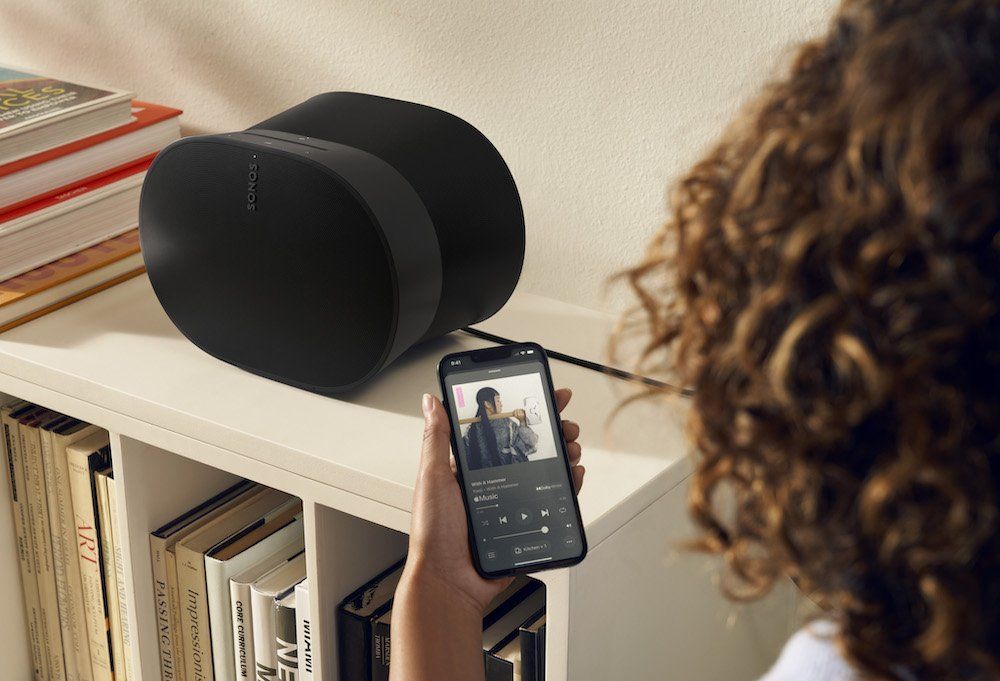
Building a Multi-Room Music Setup at Home
Multi-room audio used to mean running speaker cable through walls and buying an expensive receiver. Today, most households can play music in the kitchen, living room, and bedroom with smart speakers they may already own. The technology is simpler than it looks, but a few early decisions save a lot of frustration later.
The first decision is the ecosystem. Speakers from the same family group together easily, whether that is Amazon Echo devices, Google Nest speakers, Apple HomePod or Sonos. Mixing brands is possible, but grouping across ecosystems is limited, and voice commands like "play in every room" tend to work only within one platform. Households that already lean toward one voice assistant usually find it easiest to stay with it.

Network quality is the second factor and the one most often overlooked. Streaming the same track to four speakers at once puts steady demand on Wi-Fi. Older routers or a single access point at one end of the house can cause dropouts and sync problems. A mesh Wi-Fi system often fixes issues people blame on the speakers.
Placement matters more than raw power. A small speaker on a bookshelf near the middle of a room usually sounds better than a larger one pushed into a corner. Kitchens benefit from speakers away from the sink and stove, and bedrooms from models with a night mode or easy volume limits.
Then there is the music service. Free tiers include ads and restrictions that get annoying when music plays all day across the house. A paid plan removes ads and allows full control from any speaker. For families, the plan type matters: when one person's listening history shapes everyone's recommendations, the algorithm gets confused and you end up skipping tracks. Comparing Spotify Premium Family and Individual plans is worth the few minutes, because separate accounts under a family plan keep each person's playlists and suggestions their own while still sharing the speakers.
Setup itself is straightforward. Link the music account in the speaker app, name each speaker by room, create groups such as "Downstairs" or "Everywhere," and test playback from both a phone and by voice. Spotify Connect and similar features let any family member send music to a room from their own phone without reconnecting each time.
Households that already own speakers from different brands have a few bridges available. Apple AirPlay 2 works with HomePod and many third-party speakers and TVs, and lets an iPhone or Mac send audio to several rooms at once. Google Cast, often labeled as Chromecast built-in, does the same from Android phones and many apps. A wide range of speakers support Spotify Connect, regardless of brand. Checking which protocols each device supports is the quickest way to see whether a mixed setup can play together.
Stereo pairing is a simple upgrade that many people skip. Two identical speakers in the same room can usually be paired as left and right channels, giving wider, more natural sound than a single unit. It works especially well in a living room or home office where people sit in one place. The second speaker does not need to be the most expensive model in the range to make a noticeable difference.
Television audio is often the next step. Many modern soundbars can join the same multi-room group as the other speakers, which means music can play through the living room system when the TV is off. Some setups also let you send TV audio to other rooms, which is useful if you want to follow a match from the kitchen. Before buying, check whether the soundbar supports the same ecosystem as the rest of your speakers.
Sound quality settings are easy to overlook. Most streaming apps let users choose the streaming quality separately for Wi-Fi and mobile data, and some default to a lower setting to save bandwidth. On a home network, raising the quality setting costs nothing and improves playback on better speakers. Some services also offer lossless or high-resolution audio, although the difference is more noticeable on larger speakers than on compact ones.
Outdoor spaces can join the system too. Weather-resistant speakers designed for patios and balconies connect to the same app and groups. Placing them under a roof overhang protects them from direct rain and sun, and keeping them within strong Wi-Fi range prevents dropouts. Neighbors will appreciate a sensible evening volume limit.

Routines and alarms add everyday convenience. Most smart speaker apps let users create schedules, such as soft music in the kitchen at breakfast time or a radio station that starts in the bedroom as an alarm. Combined with other smart home devices, music can start when lights come on in the evening or stop automatically when everyone leaves the house.
Privacy is a fair concern with voice-enabled speakers. Each major brand offers a microphone mute button and settings to review or delete voice recordings. Households that want music without voice control can choose speakers without microphones or simply keep them muted and control playback from a phone.
Guests are another group to plan for. Visitors often want to play their own music at a dinner or party. Some speaker systems offer a guest mode that lets nearby phones connect without joining the home Wi-Fi network or the main account. Where that is not available, a shared playlist on the household account is an easy alternative that keeps everyone's personal recommendations untouched.
Growing the system gradually also keeps costs reasonable. Starting with one good speaker in the most-used room, then adding others over time, lets a household learn what it actually needs before spending on every room at once.
When something stops working, a few checks solve most problems. Restarting the router and the affected speaker, confirming every device is on the same network band, and installing pending firmware updates fix most grouping and sync issues. If one speaker keeps dropping out, moving it slightly closer to an access point often helps more than replacing it.
A good multi-room system fades into the background. Music follows people around the house, nobody argues about whose account is connected, and the only decision left is what to play next.
