Best Free TV Remote App for iPhone: What to Look For in 2026
Losing the TV remote is one of those small annoyances that can quickly become a bigger problem. Maybe the remote is buried under the couch, the batteries have died, or you simply prefer using your phone instead of tracking another device.
For iPhone owners, a TV remote app can turn the phone you already carry into a convenient replacement. But not every remote app is equally useful. Some are limited to one TV brand, others rely heavily on subscriptions or advertising, and some offer little more than a digital version of a traditional remote.
So, what makes a good free TV remote app for iPhone?
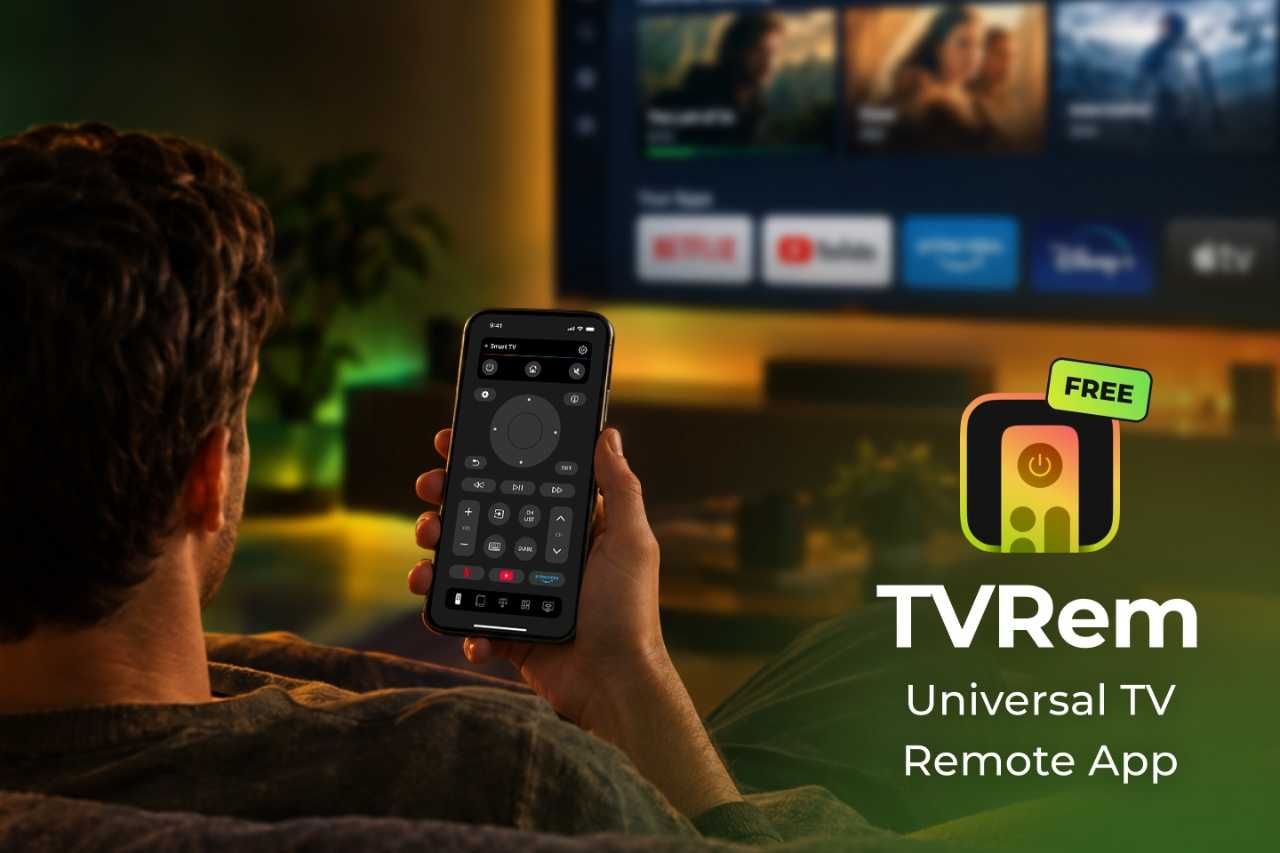
One option worth considering is TVRem, a universal remote app designed to work with a wide range of Smart TVs and streaming platforms. Rather than replicating every button on a physical remote, it combines traditional controls with features that take advantage of the iPhone itself.
What makes a good TV remote app?
Before choosing an app, check a few things.
First, compatibility matters. A remote app isn't particularly useful if it only works with one specific television model. Ideally, it should support several major Smart TV platforms and streaming devices.
Second, connecting the phone to the TV should be straightforward. Most modern TV remote apps communicate over Wi-Fi, meaning the iPhone and television generally need to be connected to the same network.
Finally, the app should make everyday tasks easier. Changing the volume matters, but so do things like searching for movies, navigating menus, opening streaming services, and entering text.
This is where an app such as TVRem takes a slightly different approach.
TVRem: A universal remote from your iPhone

TVRem turns an iPhone or iPad into a remote for compatible Smart TVs and streaming devices. It is available as a free download and doesn't require a subscription for basic remote functionality.
The idea is simple: instead of a separate physical remote for your TV, you can use a device you probably already have in your hand.
TVRem supports platforms including Samsung and LG Smart TVs, Roku, Fire TV, Android TV, Google TV, and Apple TV models. Compatibility can vary by TV or device, so check your model before relying on any remote app.
The app is also available directly through theApple App Store, making installation straightforward for iPhone and iPad users.
More than just buttons on a screen
One advantage of using a phone as a remote is that it can do things a conventional remote isn't particularly good at.
Touchpad navigation
TVRem includes a touchpad-style interface that lets users swipe through menus and tap to select items. This can feel more natural than repeatedly pressing directional buttons, particularly when browsing Smart TV interfaces.
It's also useful when navigating apps that require many button presses on a traditional remote.
Type with the iPhone keyboard
Searching for a movie or TV show with an on-screen television keyboard can be surprisingly tedious.
TVRem allows users to enter text using the iPhone's keyboard instead. Instead of moving a cursor across individual letters on the TV screen, you can type directly from your phone.
For anyone who regularly searches Netflix, YouTube, Prime Video, or other streaming services, this can be one of the more practical reasons to use a phone-based remote.
Voice input
TVRem also supports voice input, allowing users to use their phone for voice searches. On supported models, voice control can also work through Google Assistant or Alexa.
Exact functionality depends on the TV platform and connected services, so treat voice features as an added convenience rather than a universal replacement for every remote command.
Quick access to streaming apps
Another useful feature is quick app launching. TVRem can provide access to Smart TV applications such as Netflix, YouTube, and Prime Video directly from the remote interface.
This is a small feature, but it can make a difference when the main reason for picking up the remote is simply to start watching something.
How to connect an iPhone to a TV with TVRem

Getting started is relatively simple.
First, install TVRem on your iPhone. You can find the app in theApp Store.
Next, make sure the iPhone and Smart TV are connected to the same Wi-Fi network. TVRem uses the network connection to discover and communicate with compatible TVs.
Open the app and look for your TV or supported streaming device. Select it and follow any pairing instructions shown on the television.
Once connected, you can use the iPhone for common functions such as changing the volume, navigating menus, controlling playback, entering text, and launching apps.
The initial setup matters because, unlike a physical infrared remote, an iPhone remote app generally relies on network connectivity rather than simply pointing the phone at the TV.
Is a free TV remote app actually free?
This is an important question when comparing remote apps.
Many mobile utilities use a free-download model but place certain features behind subscriptions or monetize the experience with frequent advertising. That can make a supposedly free remote less convenient for everyday use.
TVRem is positioned as a free universal TV remote app that doesn't require a subscription for its core remote functionality.
That makes it particularly relevant for people who only need a simple replacement for a lost or inconvenient physical remote and don't want to add another recurring subscription to their monthly expenses.
Which TVs does TVRem support?

TVRem supports a broad range of Smart TV ecosystems. According to its current compatibility information, supported platforms include:
- Samsung Smart TVs
- LG Smart TVs
- Roku TVs and streaming players
- Fire TV devices and compatible Smart TVs
- Android TV
- Google TV
- Apple TV
- Other compatible Smart TV models and platforms
Functionality can vary by platform and model. For example, some features such as voice control depend on the TV ecosystem and available services.
That said, checking compatibility before installation is still a good idea, especially if you have an older television.
TVRem vs. a traditional remote
A physical remote still has one obvious advantage: it doesn't depend on your phone being available.
But an iPhone-based remote has some practical benefits. Your phone is usually nearby, its keyboard is much easier to use for searches, and you don't have to worry about keeping another small device within reach.
There's also the convenience factor. If you already use your iPhone for streaming, searching, and controlling other smart-home devices, having the TV remote on the same device can simplify things.
The biggest limitation is that TVRem requires a compatible TV and Wi-Fi connection. It isn't intended to replace an infrared universal remote for every television on the market.
Final thoughts
The best free TV remote app for iPhone isn't necessarily the one with the longest feature list. The more important question is whether it works with your TV, connects reliably, and makes everyday control easier.
TVRem makes a strong case by combining basic remote controls with features well suited to an iPhone: touchpad navigation, keyboard input, voice features, and quick access to streaming apps. It also supports a broad selection of Smart TV and streaming platforms.
If you've lost a remote, want a backup option, or prefer controlling your Smart TV from your phone, it's a practical alternative worth trying.
