What Is a Matter Controller? How It Powers Your Smart Home (And Which Devices Support It)
The smart home industry has finally reached a turning point. Thanks to Matter, the new universal smart home standard, consumers no longer have to worry as much about whether devices work together.
But there’s one critical piece that makes Matter work inside your home:
👉 The Matter Controller
In this guide, we’ll explain:
- What a Matter controller is
- How it works
- Why it’s essential in a smart home
- Which devices are Matter controllers
- How secure they are
- What a Thread border router is
- How to check if your existing hub is Matter-compatible
- And how GearBrain Assistant can help you find, buy, and connect Matter devices seamlessly
What Is a Matter Controller?

A Matter controller is a smart home device (usually a hub, smart speaker, display, router, or TV) that:
- Adds Matter-enabled devices to your home network
- Controls those devices
- Manages automation and routines
- Enables voice control and app-based control
- Shares devices across ecosystems using Matter’s multi-admin feature
Think of it as the brain of your Matter smart home.
Without a Matter controller, your Matter devices (like lights, plugs, sensors, locks, and thermostats) cannot be fully set up or controlled.
Why Matter Controllers Matter in the Smart Home Ecosystem
Before Matter, smart home devices often required:
- Separate apps
- Brand-specific hubs
- Limited ecosystem compatibility
- Confusing setup processes
Matter changes that by creating a unified IP-based standard that works over:
- Wi-Fi
- Ethernet
- Thread
But even with Matter, you still need a controller to manage the system.
The Role of a Matter Controller
A Matter controller:
- Onboards new devices using QR codes or numeric setup codes
- Authenticates devices securely
- Maintains encrypted communication
- Enables automations and voice control
- Allows multi-admin sharing (control from multiple platforms like Alexa, Google Home, Apple Home)
Without a controller, devices cannot join your Matter network.
Which Devices Are Matter Controllers?
Based on the official Matter-compatible hubs list, here are major categories and examples.
Amazon Alexa Matter Controllers
Matter support has been added to over 100 million Echo devices via software updates.
Examples include:
- Echo (4th Gen and newer)
- Echo Dot (2nd–5th Gen)
- Echo Show 5, 8, 10, 15, 21
- Echo Studio (1st & 2nd Gen)
- Echo Hub
- Echo Plus (2nd Gen)
- Echo Pop
- eero routers (Pro 6E, 6+, Max 7, etc.)
What They Control
With Alexa Matter support, you can control:
- Light bulbs
- Smart plugs
- Switches
- Sensors
- Thermostats
- Locks
- Robot vacuums
- Air conditioners
- Hubs and bridges
Even non-Matter devices can still work with Alexa if they have the “Works with Alexa” badge.
Google Matter Controllers

Google Assistant smart speakers and displays that act as Matter controllers include:
- Google Nest Hub (2nd Gen)
- Google Nest Hub Max
- Google TV Streamer 4K
- Nest Wi-Fi Pro
Example of Real-World Compatibility
If you have:
- An Android phone
- A Google Nest Hub Max
And you buy Matter-enabled lights that previously only worked in Apple HomeKit —
You can:
- Add them via the Google Home app
- Control them with Google Assistant
- Create routines
- Share across ecosystems
That’s the power of Matter controllers.
Apple Matter Controller

Examples:
- Apple TV 4K (3rd Generation – 64GB & 128GB Wi-Fi + Ethernet models)
- Apple HomePod mini
- Apple HomePod 2nd gen
These integrate directly into:
- Apple Home app
- Siri
- iPhone and iPad ecosystems
Samsung Matter Controllers
- QN90C series (All Sizes)
- QNX1D series (All Sizes)
Are Matter controllers.
These integrate with SmartThings and act as central hubs for your connected home.
LG Matter Controllers
LG QNED 4K TVs with webOS 23 or 24 and AI features also function as Matter controllers
.
Other Matter Controllers
Additional Matter-compatible hubs include:
- Homey Pro
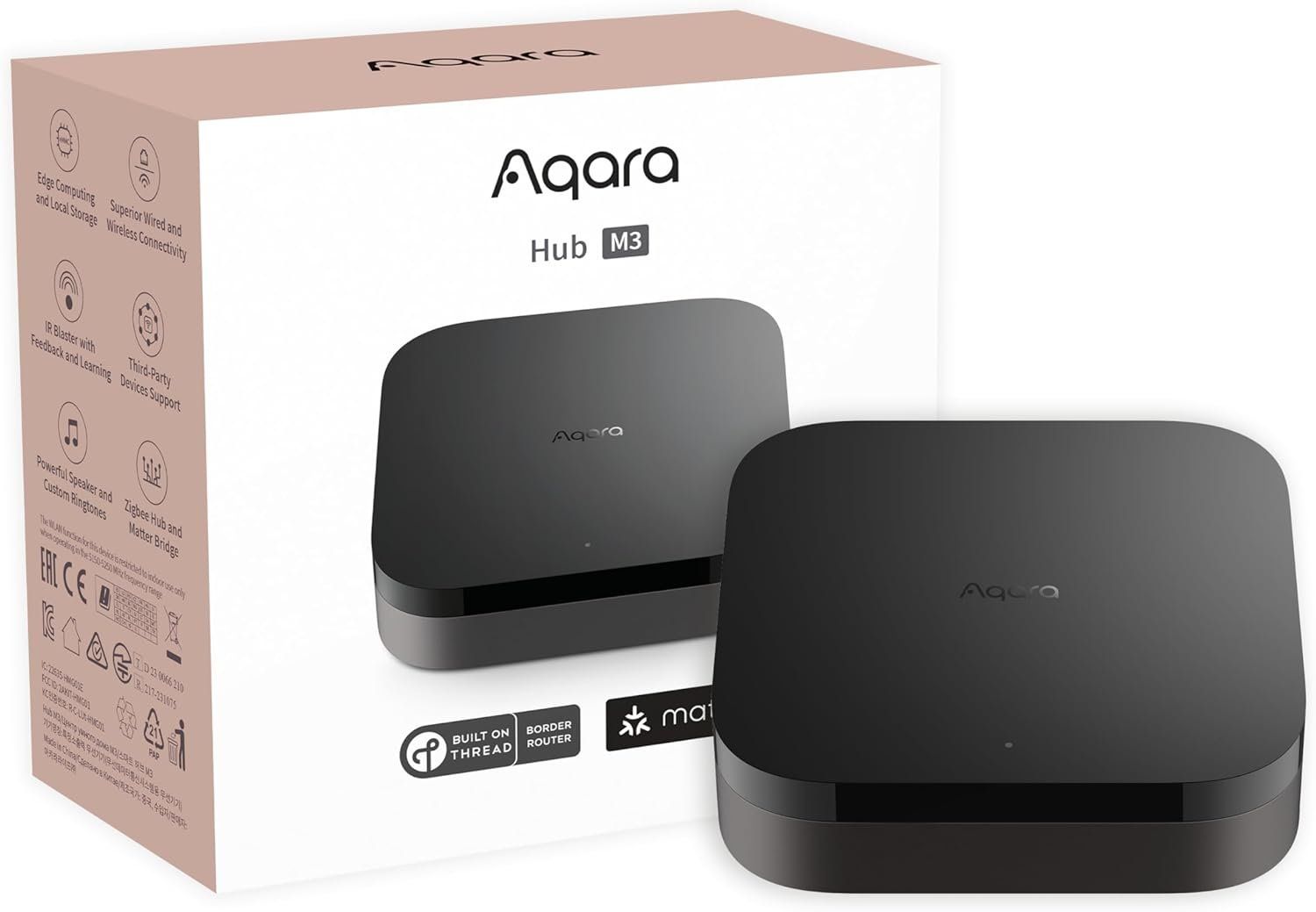
- Aqara Hub M3
- Hue Bridge (2nd Gen)
- Brilliant Smart Home Controls
- Aeotec Smart Home Hub
What Is a Thread Border Router?
Alongside Wi-Fi, Matter devices may use Thread.
Thread is designed for:
- Low power consumption
- Battery-powered devices
- Mesh networking
But Thread devices require a Thread Border Router to connect to your main network.
Devices with Built-In Thread Border Routers
Examples include:
- Echo (4th Gen)
- Echo Show 8 (3rd Gen)
- Echo Show 10 (3rd Gen)
- Echo Studio
- Echo Hub
- eero Pro 6E
- eero Max 7 Matter Compatible Hubs or Contr…
If you’re buying battery-powered Matter devices like sensors or smart door locks, having a Thread border router improves reliability and responsiveness.
How Secure Are Matter Controllers?

Matter was designed with strong security built in:
Key Security Features
- Each device has a unique identity certificate
- Devices must be authenticated before joining
- End-to-end encryption
- Fine-grained access controls
- Data minimization
- Multi-admin control permissions
Even if one device were compromised, data exposure is limited.
Privacy protections depend partly on the manufacturer, but the Matter framework prioritizes encryption and secure onboarding.
How Do You Know If Your Hub Is a Matter Controller?
Here’s how to check:
1. Look for the Matter Logo
On:
- Product packaging
- Manufacturer website
- Product pages
2. Check the Manufacturer’s Website
Many devices gained Matter support via software updates (especially Echo devices).
3. Check in Your Smart Home App
- Alexa app
- Google Home app
- Apple Home app
- SmartThings app
Look for Matter device onboarding options.
4. Use GearBrain Assistant
Instead of searching across websites, you can:
- Enter your existing devices
- See if they are Matter controllers
- Check compatibility instantly
- Get setup guidance
GearBrain Assistant removes the guesswork.
How Matter Devices Are Set Up
Matter onboarding uses:
- QR codes
- Numeric setup codes
- Bluetooth Low Energy
- Sometimes NFC
Setup flow:
- Scan QR code in your platform app
- Device joins your network
- Secure authentication occurs
- Add to rooms and automations
- Share across platforms if desired
It’s designed to be simple and consistent.
Do You Still Need Multiple Apps?
Matter simplifies setup and control.
But:
- Brand apps still offer advanced features
- Platform apps coordinate cross-brand automation
Matter reduces fragmentation — but doesn’t eliminate app ecosystems entirely.
Why Choosing the Right Matter Controller Is Critical
The controller determines:
- Ecosystem compatibility
- Thread support
- Automation capability
- Voice assistant integration
- Multi-admin flexibility
Choosing the wrong one may limit device control or require additional hardware.
How GearBrain Assistant Helps
As you continue building GearBrain’s Connected Intelligence Framework, Matter compatibility is a core part of simplifying the smart home experience.
GearBrain Assistant helps you:
- Identify if your current hub is a Matter controller
- Determine if it supports Thread
- Find compatible devices
- Avoid ecosystem lock-in
- Compare controllers
- Get step-by-step setup guidance
- Connect devices across platforms
Whether you’re upgrading to a new LG TV, adding an Echo Show, or installing an Aqara hub — GearBrain Assistant ensures everything works together.
Final Takeaway
A Matter controller is the foundation of a modern smart home.
It:
- Adds devices
- Secures communications
- Enables automation
- Bridges ecosystems
- Powers Thread networks
As Matter adoption grows, understanding controllers becomes essential.
Before buying your next smart device:
✔ Confirm you have a Matter controller
✔ Verify Thread support if needed
✔ Look for the Matter logo
✔ Use GearBrain Assistant to check compatibility
The future of the smart home isn’t about buying more gadgets.
It’s about buying the right controller — and building from there.
Check out The GearBrain, our smart home compatibility find engine, to find other portable Bluetooth speakers, including ones that are compatible with Google Assistant and Amazon Alexa-enabled devices.
)