Artificial Intelligence
Testing Zawa Video Enhancer: Real Results from Free AI Video Tools
Zawa

Testing Zawa Video Enhancer: Real Results from Free AI Video Tools

A hands-on look at how Zawa’s AI-powered video enhancer and watermark remover improve old footage, compressed clips, and low-quality smartphone videos.

Like GearBrain on Facebook

Video quality issues ruin your content before viewers care about what you're actually saying. Blurry smartphone footage, compressed social media downloads, old family videos degraded over time; these quality issues stack up fast when you're trying to create professional-looking content or preserve memories.

Zawa offers free AI-powered tools promising to fix these exact problems. A video enhancer that upscales to 4K and a watermark remover that cleans unwanted logos from footage. Free tools making big promises usually disappoint. Testing them with real problematic footage reveals whether Zawa delivers actual results or just marketing hype.

The Quality Problem We All Face

Video quality issues appear everywhere. Content creators download clips from social platforms only to discover heavy compression artifacts. Families trying to preserve old memories face footage shot on obsolete cameras with terrible resolution. Small businesses record product demonstrations on phones without realizing how poorly the lighting is captured.

Fixing these problems traditionally means buying expensive software and learning skills most people never develop. Professional restoration services price themselves out of reach for anyone not running a business. The gap between problematic footage and usable quality feels impossible to bridge without significant investment.

AI-powered enhancement tools promise to close that gap. Upload poor-quality footage, let algorithms work their magic, and download improved results. The concept works brilliantly in theory. Real-world testing shows whether execution matches promises.

Testing Zawa Video Enhancer

The first test used compressed YouTube footage downloaded at 480p. The kind of clip that looks barely acceptable on a phone screen but falls apart completely on anything larger. Blocky compression artifacts everywhere. Blurry details. That overall mushy appearance that heavily compressed video gets.

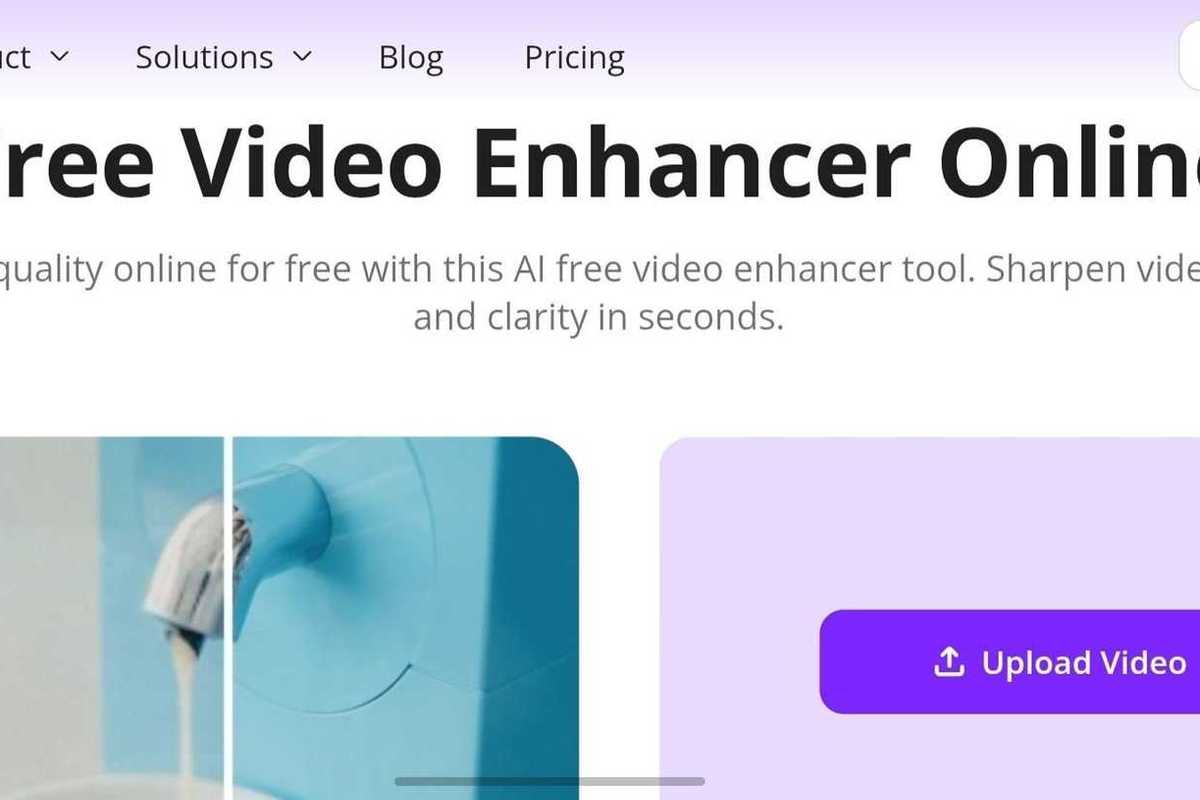
Uploading to Zawa took seconds. The interface stays refreshingly simple. Click upload, select your file, and wait for processing. No confusing menus or technical settings requiring decisions you're not qualified to make.

Processing happened faster than expected. A three-minute clip finished enhancing in roughly two minutes. The real-time preview showed the enhancement as the AI worked through the footage.

screenshot of Zawa Video Enhancer Zawa Video EnhancerZawa

The results impressed me immediately. That 480p YouTube rip unscaled to 1080p without looking artificially sharpened or over-processed. Compression artifacts disappeared. Details emerged that weren't clearly visible in the source footage. Colors gained vibrancy without crossing into oversaturated territory.

The AI apparently handles automatic color correction as well as resolution improvement. Footage that looked washed-out and flat in the original version showed better contrast and a more natural color balance after processing. This matters tremendously because color grading typically requires manual adjustment and decent technical knowledge.

Testing the Batch Processing

The second test involved multiple short clips from a smartphone. Family gathering footage shot in mixed lighting conditions. Some clips are too dark. Others overexposed. All suffer from the limited dynamic range phone cameras capture.

screenshot of Testing the Batch Processing Testing the Batch ProcessingZawa

Zawa allows batch processing of multiple files simultaneously. Upload everything at once rather than processing clips individually and waiting through repeated cycles.

All five clips processed together in roughly the same time as single file processing took. Efficiency gains become significant when handling multiple videos. The alternative means uploading, waiting, downloading, and then repeating for each individual file.

Results across the batch showed consistency. Dark footage gained brightness in shadow areas without blowing out highlights. Overexposed clips recovered detail in bright regions. Color correction was applied appropriately to each clip based on its specific lighting conditions rather than using identical processing for everything.

This adaptive processing suggests genuine AI analysis rather than just applying preset filters uniformly across all footage.


Old Footage Restoration

The third test presented the biggest challenge. VHS-era family video digitized years ago. The resolution was terrible even by the standards of the time. Analog artifacts from the original tape. Digital compression artifacts from the transfer process. Color bleeding. Noise. Basically, every quality problem imaginable is stacked on top of each other.

This represents the scenario where AI enhancement should prove most valuable. Footage with sentimental value but unwatchable quality. No amount of traditional editing fixes problems this severe without frame-by-frame manual work, which nobody has time or patience for.

Processing took longer with this heavily degraded source material. The AI worked harder to reconstruct details from the footage, which offered very little to work with initially.

Screenshot of Old Footage Restoration with Zawa Old Footage RestorationZawa

Results exceeded realistic expectations. The video enhancer didn't magically transform VHS footage into 4K perfection. But it did make unwatchable clips genuinely viewable. Noise reduction cleaned up the grainy appearance. Resolution upscaling added clarity to blurry details. Color correction brought life back to faded, washed-out footage.

Most importantly, the enhancement stayed natural-looking. Over-processed restoration creates that artificial sharpness and fake colors that look worse than the original degradation. Zawa avoided that pitfall. Enhanced footage looked better while still looking like real video rather than AI-generated recreation.

Platform and Format Flexibility

Testing included footage from various sources. DSLR camera files. Smartphone recordings. Screen captures. Drone footage. Action camera clips. Different formats, resolutions, and quality levels.

Zawa handled everything thrown at it. MP4, MOV, M4V all processed without issues. No format conversion required before upload. No compatibility issues are causing processing failures.

Cross-platform accessibility means working from whatever device you have available. Desktop, laptop, tablet, and phone all access the same web-based tools. No software installation. No platform-specific limitations.

Free Access Reality

Zawa offers legitimate free access rather than misleading "free trial" bait. Core functionality works without payment. The credit system provides processing capacity for testing and occasional use.

Free-tier limitations become relevant for heavy use. Serious content-creation workflows that require constant enhancement and watermark removal require premium plans. But casual users who fix occasional footage or handle one-time restoration projects get genuine utility without payment.

This freemium model makes more sense than all-or-nothing paywalls. Try the tools with real footage. Verify they work for your specific needs. Then decide if premium capacity justifies the subscription cost.

Conclusion

Testing Zawa's video enhancer and watermark remover across multiple footage types and quality issues revealed tools that genuinely work. Results look natural rather than over-processed. Processing speed stays reasonable even for heavily degraded source material. Interface simplicity means anyone can use these tools regardless of technical knowledge.

The video enhancer handles diverse scenarios successfully. Compressed social media downloads. Poor smartphone footage. Old analog video conversions. Each quality problem received appropriate treatment, resulting in visible improvement without producing artificial-looking output.

The video watermark remover performs equally well. Clean results. Fast processing. Batch capability for efficiency. The free tier's 5-second clip limit restricts serious workflow use but provides enough capacity for testing and occasional needs.

For content creators, families preserving memories, small businesses improving product videos, or anyone dealing with poor quality footage, Zawa offers practical solutions that actually work. Not perfect. Not unlimited in free form. But genuinely useful for intended purposes without requiring expertise or significant investment.


Like GearBrain on Facebook
The Conversation (0)

GearBrain Compatibility Find Engine

A pioneering recommendation platform where you can research, discover, buy, and learn how to connect and optimize smart devices.

Join our community! Ask and answer questions about smart devices and save yours in My Gear.

Top Stories

Weekly Deals