I’ve tested plenty of smart shades, and Kincmo’s were the easiest to clip into their brackets. The shade I installed in our smart home felt sturdy, ran quietly in both directions, and came with the largest solar panel I’ve seen included with a smart blind. Matter pairing took a second try, but moving my Aqara Hub M3 into the same room did the trick. If you’re buying your first smart blinds, here’s what impressed me and what I’d check before ordering.
Quick Verdict
 Kincmo Smart Motorized shades unboxed. www.gearbrain.com
I’d recommend Kincmo to someone buying their first smart shades. The shade I tested felt well built, looked more expensive than I expected, and moved quietly in both directions. I liked having a remote within reach and a solar panel to help keep the battery charged. The automations I tried were basic, but that’s enough if your main goal is to open and close the shade on a routine. Check your Matter and Thread hardware before ordering if you want app and voice controls.
| Review snapshot | Details |
|---|
| Configuration tested | Bracket-mounted Kincmo motorized shade with Matter support, a rechargeable battery, a remote, and a solar panel |
| Where I tested it | In our smart home |
| Matter test equipment | Aqara Hub M3 and a Matter-capable Amazon Echo |
| Best for | First-time smart shade buyers who want quiet operation, remote control, and the option to add app and voice control |
| Price | Custom quote varies by size, fabric, motor, and accessories |
Installation, Build Quality, and Noise
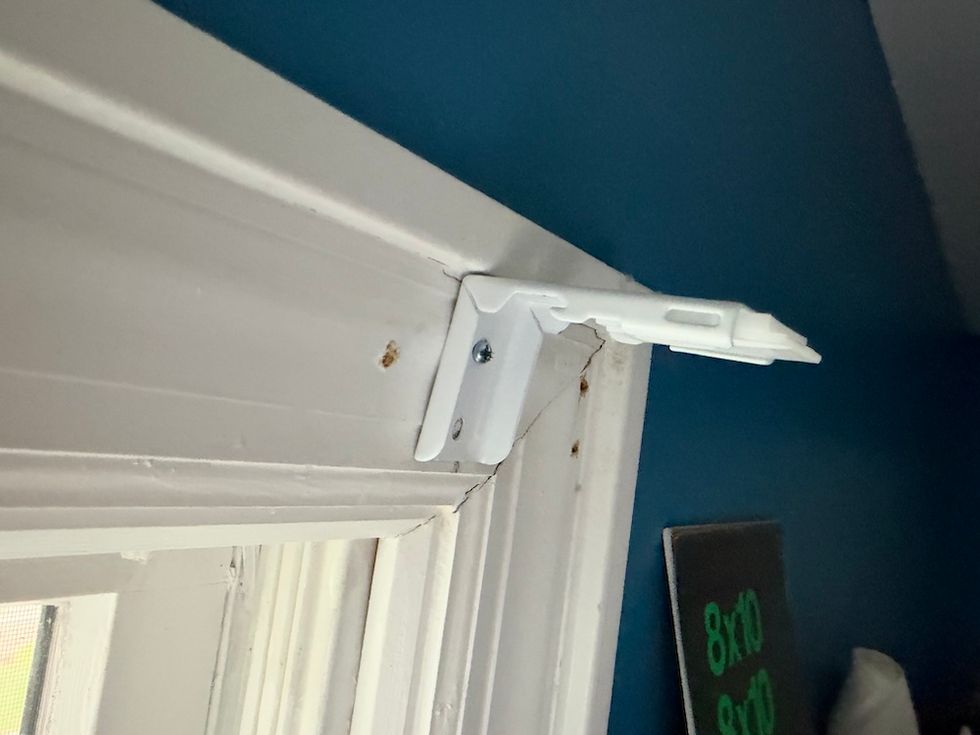
 nstallation, Build Quality, and Noise www.gearbrain.com
I recognized the brackets as soon as I unpacked the shade. They were similar to the ones I’ve used on other motorized blinds, but this shade was the easiest I’ve had to clip into place. That makes a difference when you’re holding a shade up at the window and trying to seat it securely in its brackets.
The shade felt sturdy while I handled it, and the finished installation had the look I’d expect from a higher-end window treatment. The motor was quiet when opening and closing. The build impressed me during installation and use, though I haven't yet evaluated long-term wear.
Kincmo gives buyers a wide choice of shade styles, fabrics, and mounting options. I found its measuring instructions helpful, especially because the dimensions you need depend on the shade and how it mounts. Use the instructions for the exact model you’re ordering. Our buying guide walks through fabric choices, inside and outside mounts, and what to measure before placing a custom order.
Rechargeable Battery and Solar Charging
The kit I tested came with a rechargeable battery and the largest solar panel I’ve seen included with any smart blind I’ve tested. I like having a way to top up the battery at the window, especially where a charging cable would be awkward to reach. Check whether the panel is included in the configuration you select and whether it gets enough daylight. I judged the panel by its size and convenience in the test setup. How often it can spare you a manual recharge depends on the light at your window.
Matter Setup | Moving the Aqara Hub Solved My Pairing Issue
 Matter Setup | Moving the Aqara Hub Solved My Pairing Issue www.gearbrain.com
I used an Aqara Hub M3 and a Matter-capable Amazon Echo in my test setup. The M3 can serve as both a Matter controller and a Thread border router. I scanned the Matter QR code in the setup app instructions. There’s also a code on the shade itself, so keep the instructions handy if that label will be hard to reach after mounting. Aqara Hub M3
Pairing didn’t work on my first attempt. Once I moved the M3 into the same room as the Kincmo shade and retried, the shade paired successfully. If your shade won’t pair, try bringing your Thread border router closer. That solved the issue in my home.
Kincmo publishes compatibility guidance for Amazon Alexa, Google Home with Google Assistant, Apple Home, and Samsung SmartThings. For the native Matter-over-Thread version, you’ll need a compatible Matter controller and a Thread border router. One device can provide both functions. Check the exact model of your speaker, display, or hub because Matter controller support alone doesn’t establish that it can also serve as a Thread border router. My hands-on setup used Aqara and Echo hardware. Kincmo’s Matter-over-Thread hardware guide · GearBrain’s Kincmo Matter Compatibility, Setup and Automations Guide
Remote, Voice, and App Controls
I liked having the Kincmo remote handy for quick adjustments. With the shade paired to a compatible smart home platform, you can also use its app or voice assistant. The automations I tried were basic. A scheduled morning opening or evening close is a good place to start. If you want several shades to move together or need percentage positioning in a scene, check which actions your platform offers for your setup. Learn more by visiting GearBrain’s ecosystem-specific setup and automation instructions
Which Kincmo Motor and Hub Should You Choose?
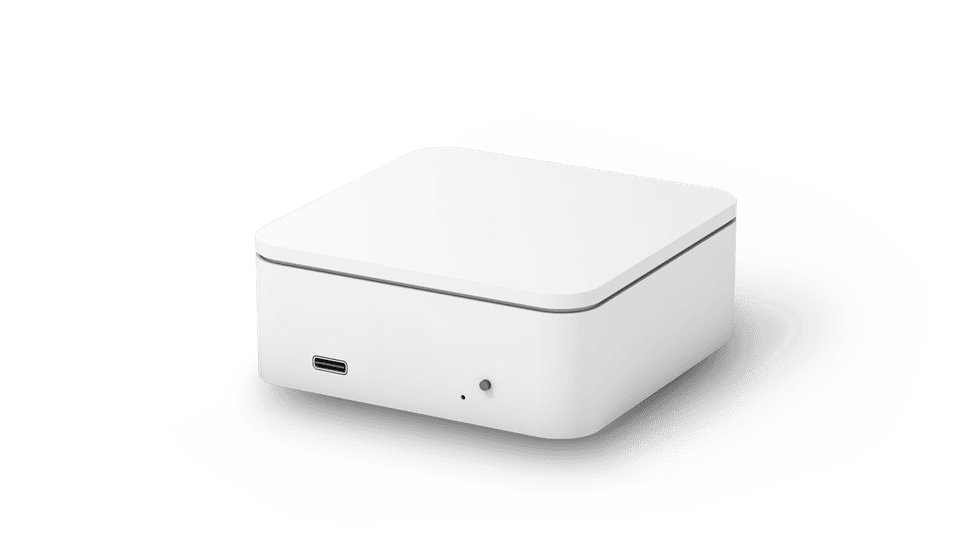
 Kincmo Hub KIncmo
| Configuration | What you need |
|---|
| Standard remote motor | Use the Kincmo remote for everyday operation |
| Compatible standard motor with Kincmo Matter Hub | Add Kincmo’s separate bridge for smart control |
| Native Matter-over-Thread motor | Use a compatible Matter controller and Thread border router |
The native Matter-over-Thread configuration can use your existing smart home hardware without the Kincmo Matter Hub.. Kincmo sells that separate hub for compatible standard motors and rates it for up to 30 shades within about 98.5 feet (30 meters). Kincmo recommends one hub per floor for multi-floor installations. I’d take placement seriously when planning several rooms, especially after seeing what moving the M3 did in my home. The published capacity and range apply to Kincmo’s bridge.
Price and Value
Kincmo struck me as a good value for the finish, quiet operation, and ease of installation. Compare the configured price for your window, including the motor and any solar panel, hub, or accessories you want. If you’re furnishing several rooms, start with one representative window to see how the fabric, mounting, and smart controls work in your home. Below is Kincmo's Black Friday deal:
Discount code: GB10, Save 10% on orders $500+
Discount code: GB15, Save 15% on orders $599+
Discount code: GB20, Save 20% on orders $1,299+
What I Liked and What to Consider
www.gearbrain.com
| What I liked | What to consider |
|---|
| Easy to clip into the mounting brackets | Use the measuring and mounting guide for your exact shade |
| Sturdy construction and quiet operation | Noise and build impressions are based on the shade I tested |
| Rechargeable battery and a large solar panel in my test package | Confirm what comes with your order and where you’ll place the panel |
| Remote, app, and voice control options | Matter pairing worked after I moved my Aqara M3 closer |
| Broad selection of styles and configurations | Check the automation actions available in your platform |
Frequently Asked Questions
Are all Kincmo blinds Matter compatible?
No. Choose a native Matter-over-Thread motor or a compatible standard motor paired with the Kincmo Matter Hub. Check the available motor options on your shade’s order page.
Do Kincmo Matter-over-Thread blinds need a Kincmo hub?
No. You need a compatible Matter controller and Thread border router, and a single device can do both jobs. The separate Kincmo Matter Hub is for compatible standard motors.
Why won’t my Kincmo blinds pair over Matter?
Start by checking that your smart home setup includes a compatible Matter controller and Thread border router. Try bringing the border router closer to the shade during setup. Moving my Aqara M3 into the same room resolved my pairing issue.
Can I control Kincmo blinds without using an app?
Yes. My test shade came with a Kincmo remote for everyday operation. Compatible smart home platforms add app and voice control after pairing.
Can the solar panel keep Kincmo blinds charged?
The panel can supplement charging when it receives sufficient light. Confirm whether it’s included with your order and plan where it will go before mounting the shade.
GearBrain Verdict
I’d consider Kincmo for a first smart shade, especially for a room where quiet operation matters. The brackets were the easiest I’ve worked with, the shade felt well built, and I liked having both a remote and a solar charging option. Measure one window carefully, choose the motor that fits your hardware, and keep the Thread border router within reach of the shade during setup.
Remember to use GearBrain Assistant, our product find engine, which can help you easily find and buy any smart device and find compatible devices with your existing ones.
From Your Site Articles
Related Articles Around the Web
 Kincmo Smart Motorized shades unboxed.
 nstallation, Build Quality, and Noise
 Matter Setup | Moving the Aqara Hub Solved My Pairing Issue
 Kincmo Hub KIncmo