Smart blinds have become one of the most practical smart home upgrades available today. They improve privacy, enhance security, help manage natural light, reduce energy consumption, and automate daily routines. While premium brands like Lutron have dominated the market for years, newer companies are offering consumers more affordable alternatives with impressive smart home integration.
After testing Bringnox Smart Blinds for several weeks, I found them to be a compelling option for homeowners seeking customizable motorized shades that work with multiple smart home ecosystems. Bringnox offers extensive fabric choices, custom sizing, broad smart home compatibility, and support for Matter, Amazon Alexa, Google Home, Samsung SmartThings, and Apple HomeKit.
The buying process requires more involvement than purchasing off-the-shelf blinds, but that's expected for custom window treatments. Once installed, the shades performed reliably and integrated well into several smart home platforms.
While the installation process wasn't quite as simple as the Lutron Smart Blinds I reviewed earlier this year, Bringnox delivers impressive flexibility and value for consumers who want custom motorized shades without paying premium luxury pricing.
What Are Bringnox Smart Blinds?
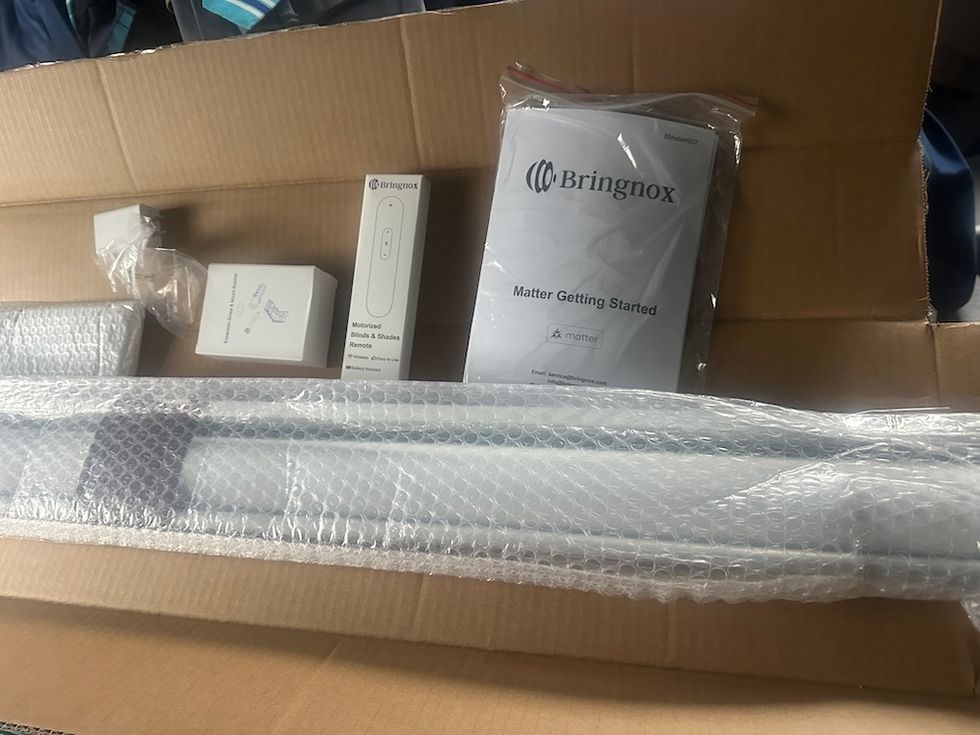
 Bringnox Smart Blinds unboxedGearBrain
Bringnox specializes in custom motorized window treatments designed for modern smart homes. Their motorized roller shades combine automated operation with customizable fabrics, colors, light-filtering options, and smart home connectivity.
Unlike ready-made blinds purchased from a home improvement store, Bringnox products are custom-built to your window specifications. Every order is manufactured according to the measurements you provide during the ordering process.
The company offers:
- Motorized roller shades
- Custom sizing
- Light-filtering fabrics
- Room-darkening options
- Energy-efficient materials
- Door coverings
- Multiple mounting configurations
- Smart home-compatible motors
- Solar charging accessories
- Remote controls
This level of customization helps ensure homeowners receive shades that fit properly and match their home's décor.
Ordering Process: Customization Is Extensive
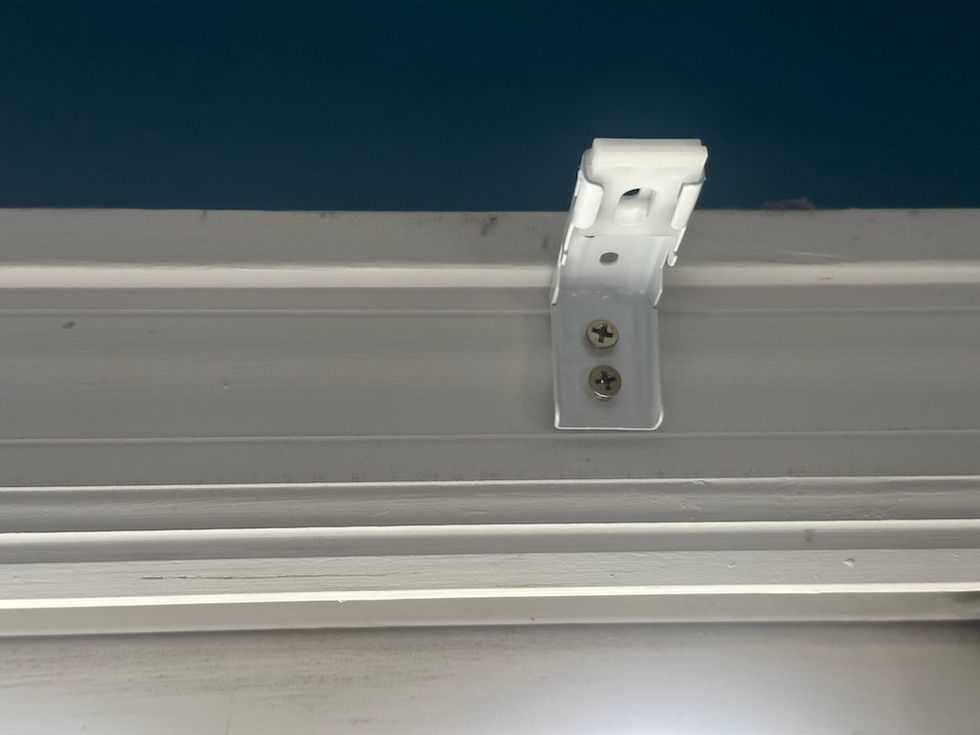
Bracket to hold Bringnox Smart BlindsGearBrain
One of the biggest differences between Bringnox and many smart home products is the level of customization available at the time of ordering.
Before placing an order, customers must measure their windows and submit the dimensions to Bringnox. Accurate measurements are critical because the shades are manufactured specifically for your windows.
During the ordering process, buyers can select:
Mount Type
- Inside mount
- Outside mount
Motor Type
This is perhaps the most important selection for smart home users.
The motor determines which smart home ecosystems the shades can connect to and how they can be controlled.
Depending on the motor selected, Bringnox shades can integrate with:
For Matter compatibility, Bringnox leverages Apple Home integration, allowing users to incorporate the shades into a growing Matter-enabled smart home ecosystem.
Additional Customization Options
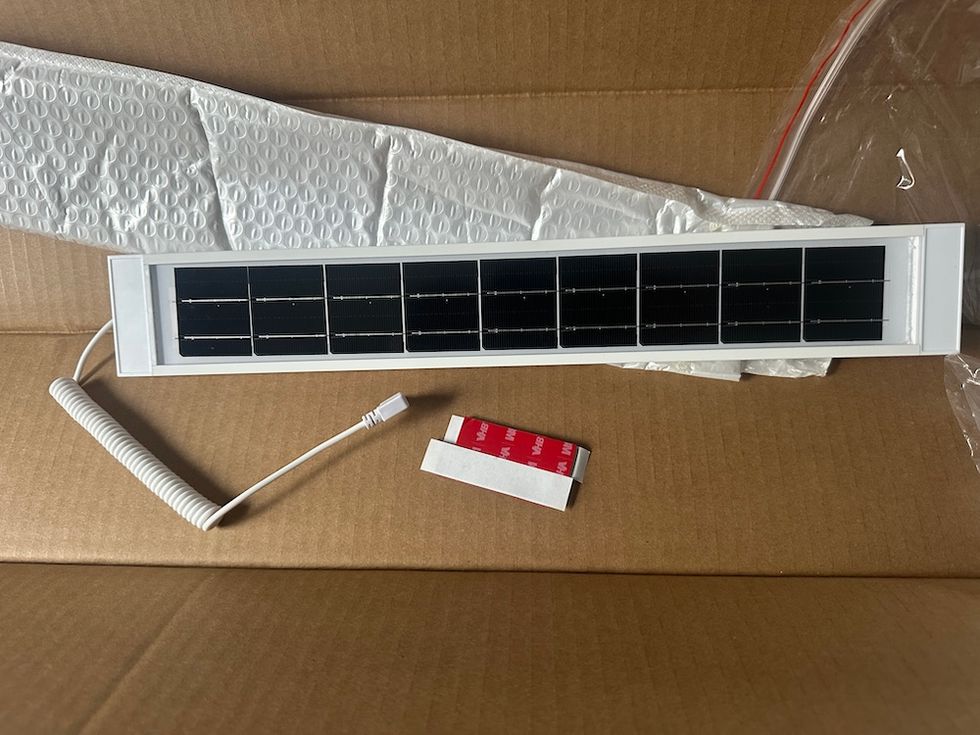
Solor panel to power Bringnox Smart BlindsGearBrain
Customers can also choose:
- Valance styles
- Bottom rod options
- Motor location
- Fabric type
- Fabric color
- Opacity levels
- Accessories
Accessory options include:
- Remote controls
- Solar charging panels
- Additional control devices
For our review, Bringnox supplied a solar charging accessory along with the shades.
Installation Experience
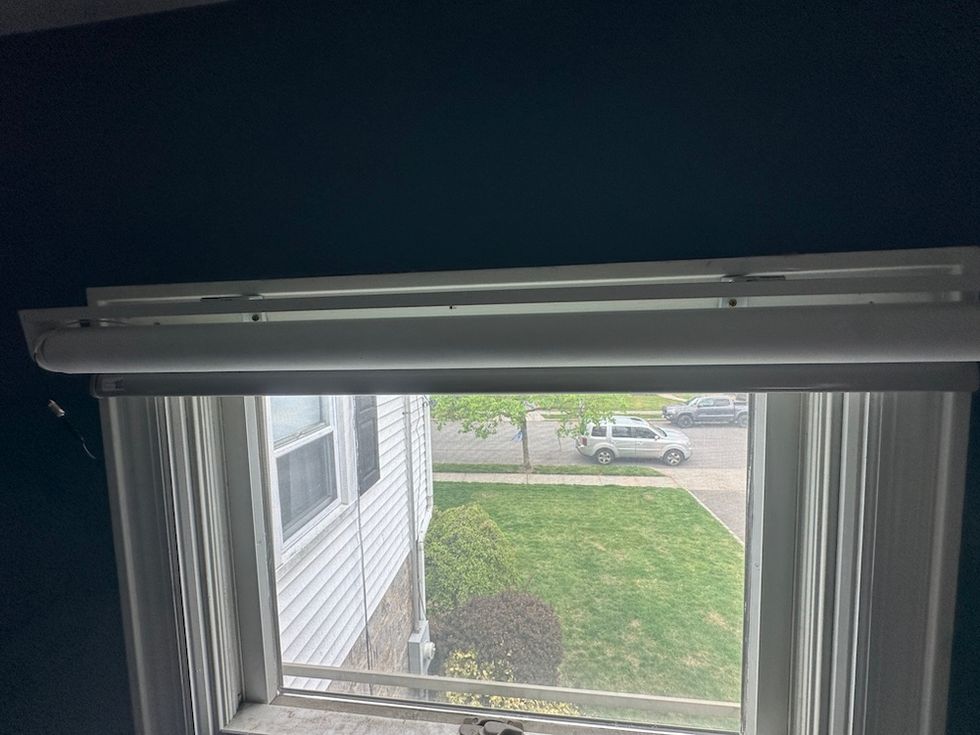
Bringnox Smart Blinds installedGearBraiin
Installing Bringnox Smart Blinds was relatively straightforward.
The package arrived with mounting hardware and instructions necessary for installation. Since the shades are custom-sized, they fit the designated window properly without requiring adjustments.
The installation process follows a fairly standard motorized shade setup:
- Install mounting brackets
- Secure the shade assembly
- Connect and configure the motor
- Pair with the control app
- Integrate with smart home platforms
Most DIY homeowners should be able to complete the installation themselves.
That said, installation wasn't quite as simple or refined as my experience with Lutron's smart shades.
Lutron has spent years perfecting both its hardware design and installation experience, and it shows. Bringnox requires a bit more attention during setup and configuration.
Still, the process remained manageable and should not discourage most homeowners comfortable with basic DIY projects.
Performance During Testing
Over several weeks of testing, the shades performed reliably.
Motor operation was smooth and consistent, opening and closing on schedule without issues.
The roller mechanism felt solid, and the fabric tracked properly during operation.
I particularly appreciated the flexibility to create schedules that automatically adjusted the shades throughout the day.
Morning routines could automatically raise shades to let in natural light, while evening routines close them for privacy.
This type of automation quickly becomes one of those smart home features that you miss when it's unavailable.
Smart Home Compatibility Is a Major Strength
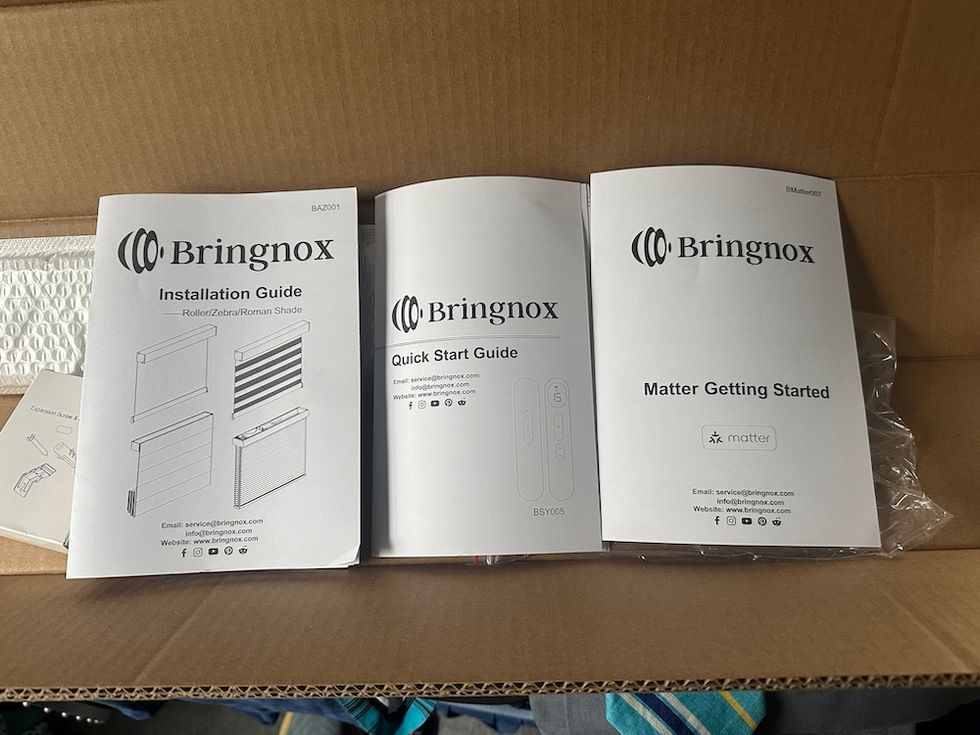
Bringnox Smat Blinds come with Installation guide, Quick Startup Guide, and instructions to connect to a smart home system of choice.GearBrain
One of Bringnox's biggest advantages is its broad support for smart home ecosystems.
Many smart shade manufacturers force consumers into a single platform or require proprietary hubs.
Bringnox takes a more flexible approach.
The motorized roller shades support integration with:
Amazon Alexa
Users can create routines and control shades with voice commands.
Examples include:
- "Alexa, open the living room shades."
- "Alexa, close all shades."
Google Assistant
Google Home users can automate shade control alongside lighting, thermostats, and other smart devices.
Samsung SmartThings
This is a particularly valuable integration for smart home enthusiasts.
SmartThings users can integrate Bringnox shades into larger home automation routines that involve sensors, locks, lighting, and climate controls.
Apple HomeKit
Apple users benefit from native Home app control and Siri voice commands.
Matter Compatibility
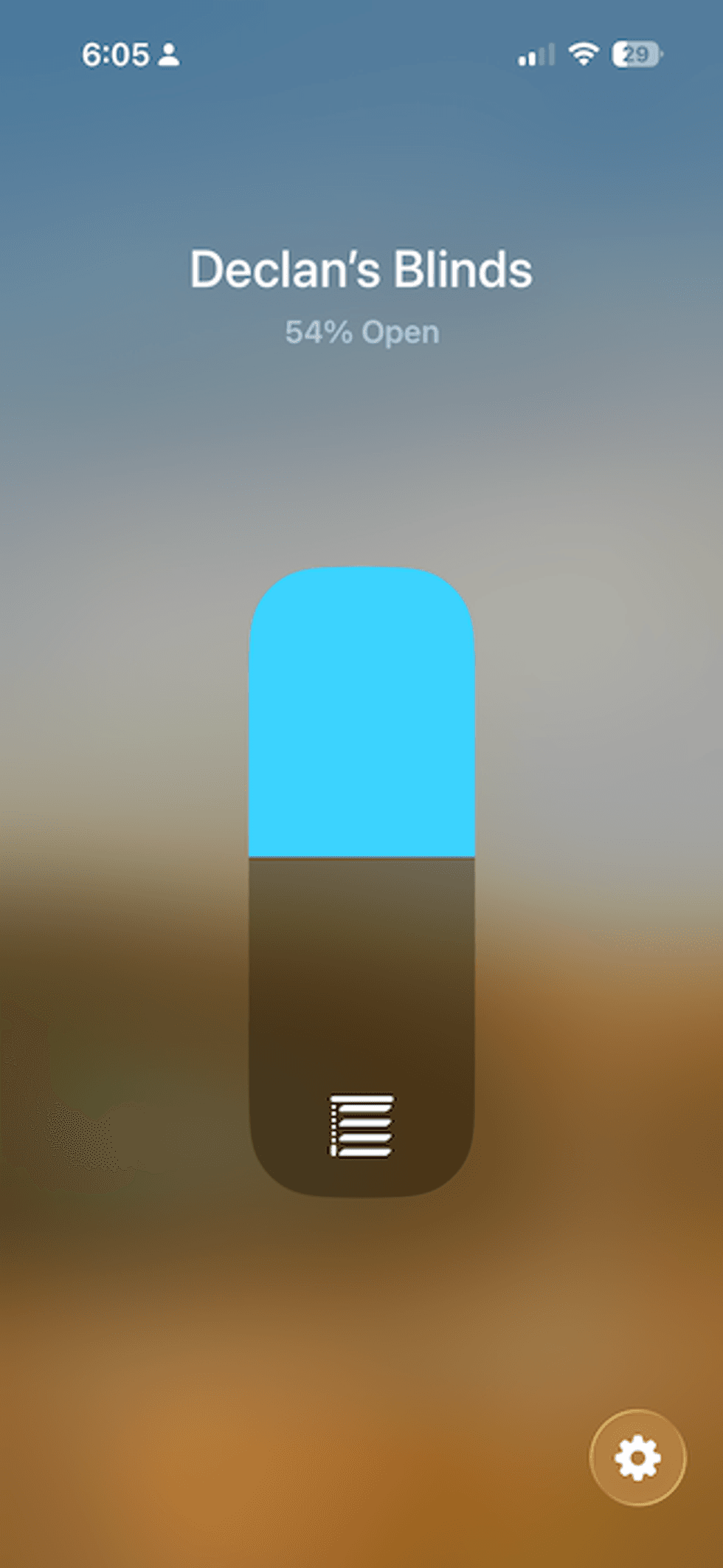
 Screenshot of control for Bringnox Smart Blinds by Matter ControllerGearBraini
Matter is rapidly becoming one of the most important standards in the smart home industry.
Bringnox's support for Matter through Apple HomeKit helps future-proof the investment and expands interoperability with other Matter-enabled devices.
For consumers building a platform-agnostic smart home, this level of compatibility is a significant advantage.
Solar Charging Accessory
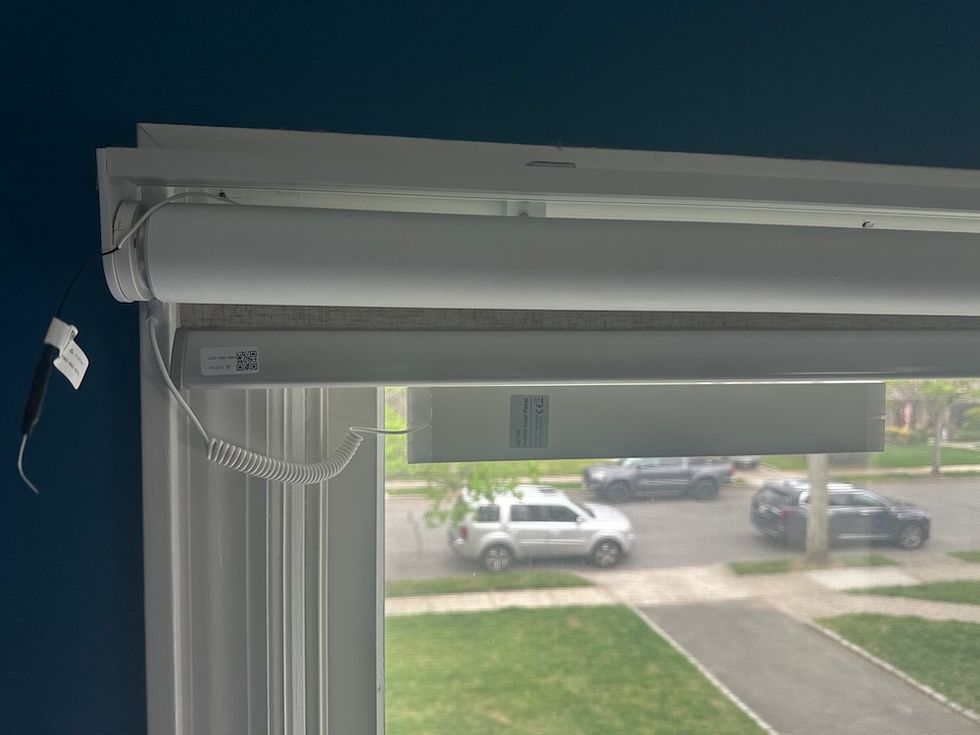
Solar panel powering Bringnox Smart BlindsGearBrain
One accessory we tested was Bringnox's solar charging panel.
The small solar panel attaches near the window and helps keep the motor battery charged using available sunlight.
This accessory can significantly reduce the need for manual recharging.
For windows that receive consistent sunlight, the solar panel can help maintain battery levels and minimize maintenance needs.
While not every installation will require it, I found it to be a worthwhile addition—especially for hard-to-reach windows.
Fabric and Design Options
Bringnox offers an impressive selection of fabrics and design choices.
Consumers can choose from numerous:
- Colors
- Textures
- Fabric styles
- Light-filtering options
- Blackout materials
This flexibility makes it easier to match existing décor while achieving desired light control goals.
Some homeowners prioritize privacy.
Others want room darkening for bedrooms or media rooms.
Still others want energy-efficient fabrics to help regulate indoor temperatures.
Bringnox addresses all of these use cases with its wide selection.
Where Bringnox Could Improve
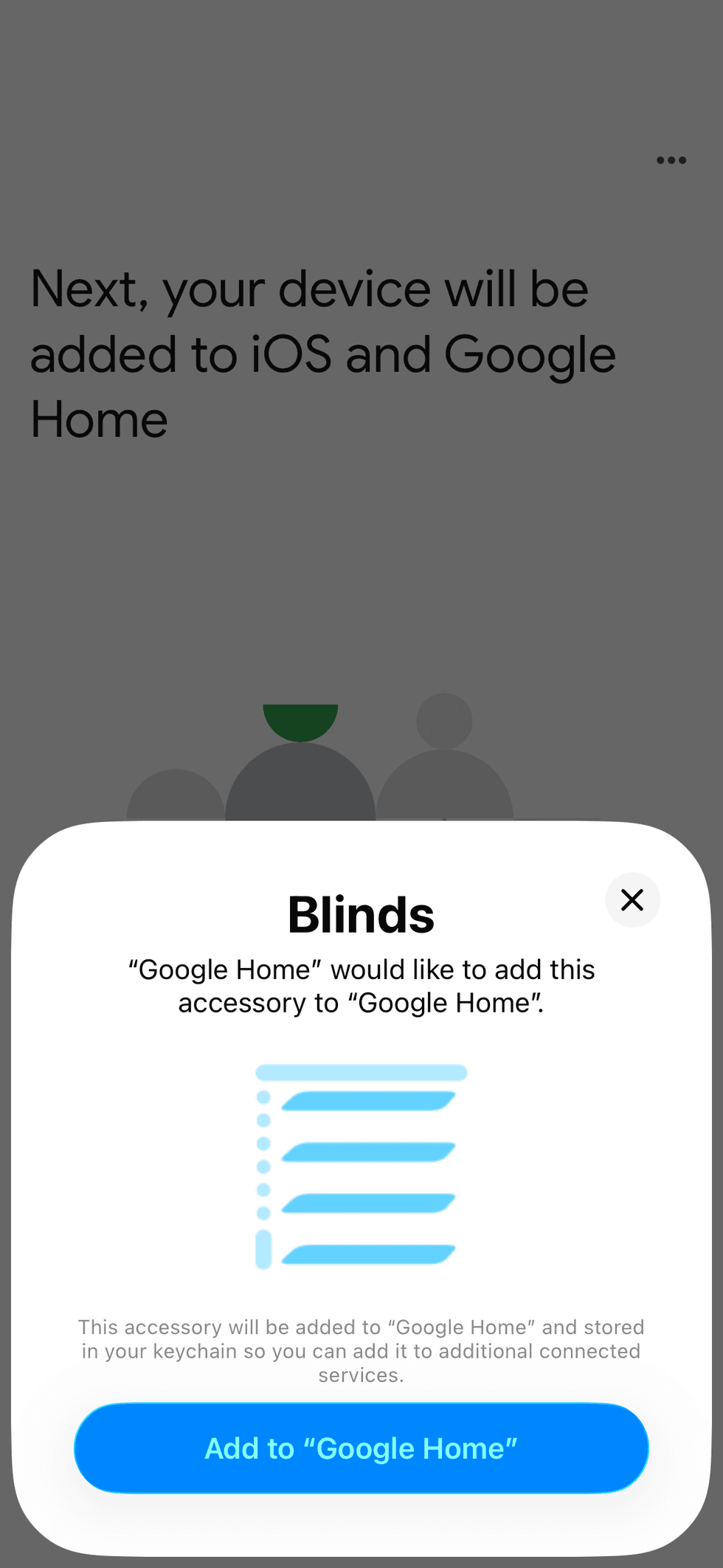
 Matter pairing in Google Home appGearBrain
No product is perfect.
Areas where Bringnox could improve include:
Simplifying Setup
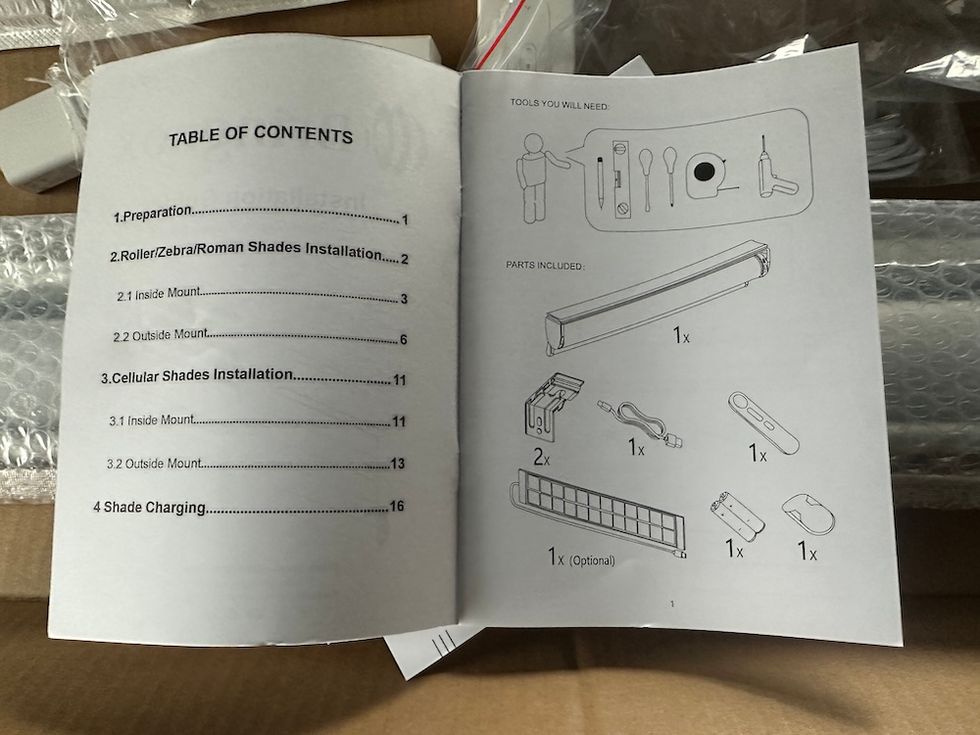
Simplifying SetupGearBrain
While the physical installation of the Bringnox Smart Blinds was relatively straightforward, the smart home onboarding experience could be improved—particularly for Matter users.
One notable difference between Bringnox and many smart home manufacturers is that Bringnox does not offer its own smartphone app. Instead, setup and control are handled through the smart home ecosystem you choose, such as Amazon Alexa, Google Home, Samsung SmartThings, or Apple HomeKit (for Matter). While some homeowners will appreciate not having to install yet another app on their phone, the lack of a dedicated Bringnox app also means there is no guided setup process. Instead, users must rely on the printed installation manuals and instructions included with the product, which may make the initial setup more challenging for first-time smart home users.
During testing, it was not easy to get the Bringnox Matter-compatible motorized roller shades to pair with our Matter controller, an Aqara M3 Smart Hub, an officially certified Matter Controller. It took several attempts before the shades successfully paired with the hub. Once connected, however, they performed reliably, and we experienced no issues with day-to-day operation.
One area where Bringnox deserves credit is making the Matter QR code easy to locate. Unlike some manufacturers that hide the Matter setup code inside the motor housing, bury it deep within the packaging, or place it in hard-to-find documentation, Bringnox positioned the QR code where it was readily accessible during installation. That thoughtful design eliminated one of the most common frustrations consumers face when setting up Matter devices and helped simplify the pairing process, even though it still required multiple attempts to establish the connection.
Overall, the setup experience wasn't difficult, but it wasn't as polished or seamless as that of premium competitors like Lutron. Adding a dedicated onboarding experience—or even enhanced digital setup resources—could make installation easier while still allowing users to control the blinds through their preferred smart home platform.
Measurement Assistance
Because customers must submit their own measurements, ordering mistakes remain possible.
Additional measurement tools, templates, or guided assistance could help reduce customer errors.
Setup Documentation
Some users new to smart blinds may benefit from more detailed smart home integration guides.
Final Verdict
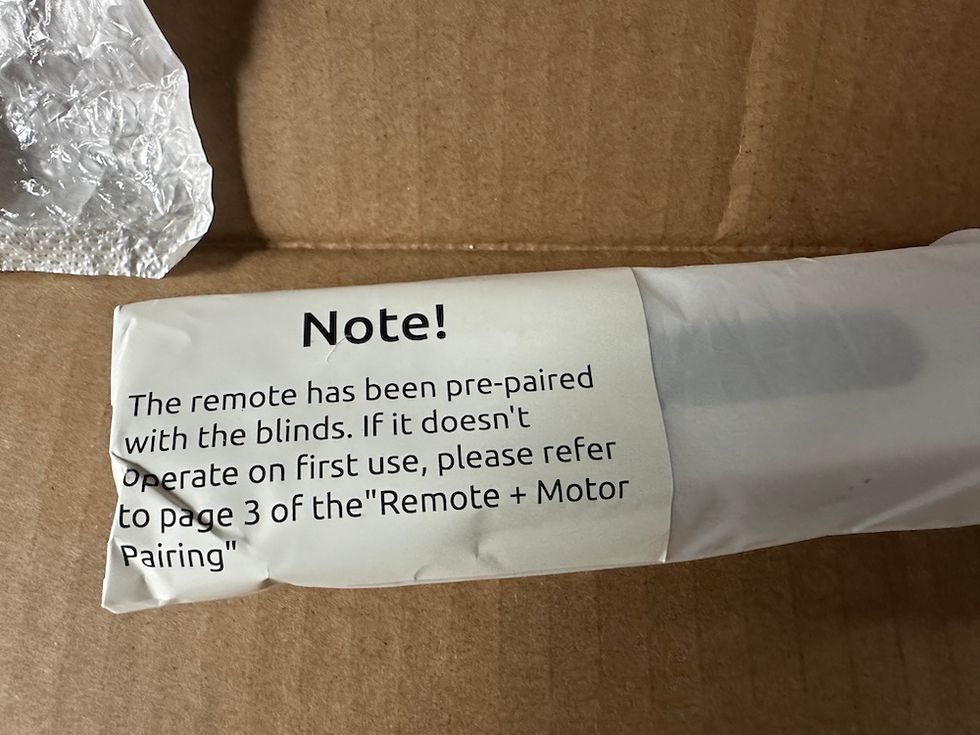
Bringnox Smart Blinds come with remote controlGearBrain
Bringnox Smart Blinds deliver a strong combination of customization, smart home compatibility, and reliable performance.
Their extensive fabric options, custom sizing, and support for Amazon Alexa, Google Assistant, Samsung SmartThings, Apple HomeKit, and Matter make them an attractive choice for homeowners seeking a connected window treatment solution.
While installation isn't as effortless as that of premium competitors like Lutron, Bringnox compensates with broader customization options and excellent ecosystem flexibility.
After several weeks of testing, I found the shades dependable, quiet, and easy to incorporate into daily smart home routines. The optional solar charging accessory adds convenience, and the wide variety of fabric choices allows homeowners to tailor the shades to virtually any room.
If you're looking for custom motorized roller shades that integrate with multiple smart home platforms while offering extensive personalization options, Bringnox Smart Blinds are well worth considering.
Pros
- Broad smart home compatibility
- Supports Alexa, Google Home, SmartThings, HomeKit, and Matter
- Extensive customization options
- Large fabric and color selection
- Reliable motor performance
- Solar charging accessory available
- Custom sizing ensures a proper fit
Cons
- Installation isn't as refined as Lutron's
- Requires accurate self-measurement
- No app unless you connect to smart home ecosystems like Alexa or SmartThings
- The setup process may feel complex for first-time buyers
- Matter setup is not easy.
GearBrain Rating: 8 out of 10 stars
Check out The GearBrain, our smart home compatibility find engine. It can help you find, buy, and connect any smart blinds or controllers. It can even help you find other smart devices compatible with your existing ones, such as Google Assistant and Amazon Alexa-enabled devices.
From Your Site Articles
Related Articles Around the Web
 Bringnox Smart Blinds unboxedGearBrain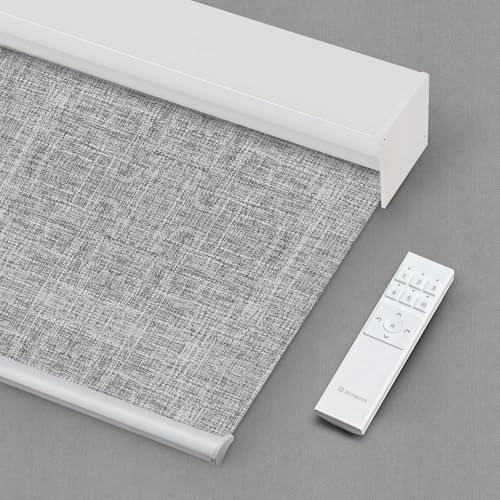
 Bracket to hold Bringnox Smart BlindsGearBrain
 Solor panel to power Bringnox Smart BlindsGearBrain
 Bringnox Smart Blinds installedGearBraiin
 Bringnox Smat Blinds come with Installation guide, Quick Startup Guide, and instructions to connect to a smart home system of choice.GearBrain
 Screenshot of control for Bringnox Smart Blinds by Matter ControllerGearBraini
 Solar panel powering Bringnox Smart BlindsGearBrain
 Matter pairing in Google Home appGearBrain
 Simplifying SetupGearBrain
 Bringnox Smart Blinds come with remote controlGearBrain

