Lutron Caséta and Sonos users now have a new way to control their smart homes without reaching for a phone, remote, or light switch. An update to the Lutron Caséta integration with Sonos adds support for Sonos Voice Control, allowing homeowners to control compatible Lutron lights, switches, dimmers, and shades simply by speaking to a compatible Sonos speaker.
The integration, announced by Lutron on August 6, expands the relationship between Lutron and Sonos beyond music integration. Caséta users can now say “Hey Sonos” to a microphone-equipped Sonos speaker or soundbar and issue commands for their Lutron devices.
That means a Sonos Era 100 sitting on a kitchen counter or a Sonos Arc Ultra connected to the living room TV can effectively become another voice-control point for the home's Lutron Caséta system.
For households already invested in both ecosystems, the update makes the two systems considerably more useful together.
What Can You Control with Lutron and Sonos Voice Control?
 Sonos Era 300 Smart Speaker works with Amazon Alexa and now Lutron Caseta GearBrain
According to Lutron, the updated integration works with the Caséta portfolio and allows users to control lights and shades hands-free through Sonos Voice Control.
Instead of opening the Lutron app or walking over to a wall switch, you can speak to a compatible Sonos device.
For example, someone watching television in a room equipped with a Sonos soundbar could say:
- “Hey Sonos, turn off the living room lights.”
- “Hey Sonos, turn on the kitchen lights.”
- “Hey Sonos, dim the living room lights.”
- “Hey Sonos, open the living room shades.”
- “Hey Sonos, close the bedroom shades.”
The exact device or room names will depend on how you've named your Caséta devices during setup.
This becomes especially useful because Sonos speakers are often positioned in the same rooms where homeowners want lighting control. Instead of purchasing a separate smart speaker solely for voice commands, a compatible Sonos speaker can now perform double duty as both an audio system and a hands-free smart home interface.
Sonos says its Voice Control platform can already control music throughout a Sonos system, including playback, volume, and speaker grouping. It also supports TV commands when used with compatible Sonos soundbars. The Lutron integration extends that voice experience further into the smart home.
Which Sonos Speakers Work with Lutron Caséta?
What are users saying about Sonos Arc? GearBrain
An important distinction is that this feature isn't available on every Wi-Fi-connected Sonos product. The Sonos device needs to support Sonos Voice Control and have the necessary microphone capability.
Current Sonos products with Sonos Voice Control include:
| Sonos Device | Type | Voice Control |
|---|
| Sonos Era 100 | Smart speaker | Yes |
| Sonos Era 300 | Spatial audio smart speaker | Yes |
| Sonos Move 2 | Portable smart speaker | Yes |
| Sonos Roam 2 | Portable smart speaker | Yes |
| Sonos Beam (Gen 2) | Soundbar | Yes |
| Sonos Arc Ultra | Premium soundbar | Yes |
Sonos also supports Voice Control on several earlier microphone-equipped models, including the original Arc, Beam (Gen 1), Sonos One, Move and Roam.
Not every Sonos Wi-Fi speaker qualifies, however. For instance, the Era 100 SL is specifically designed without voice control, while products such as Sonos Five don't provide the microphone-based Sonos Voice Control experience.
So, if you're buying a Sonos speaker specifically to control Lutron Caséta, verify that the model supports Sonos Voice Control rather than assuming any Sonos Wi-Fi speaker will work.
How This Works in a Real Smart Home
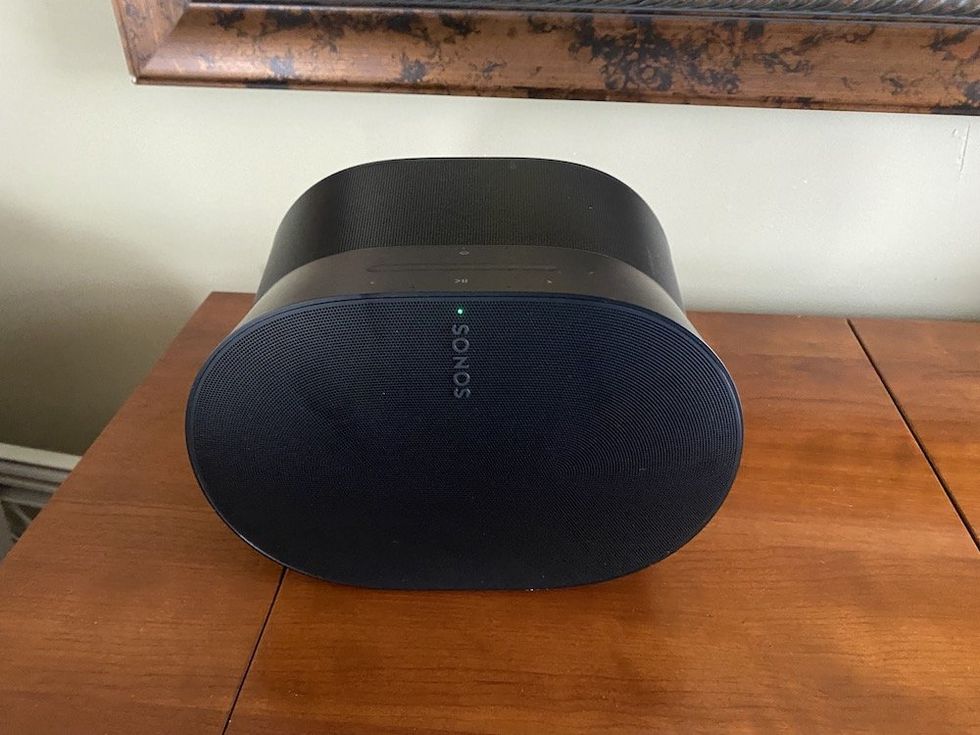
 Use Sonos App to connect your voice assistant to Sonos Arc GearBrain
The biggest benefit becomes apparent when you look at everyday situations.
Imagine you have a Lutron Diva Smart Dimmer controlling your family room lights and a Sonos Arc Ultra connected to your TV. You're watching a movie and realize the overhead lights are still too bright.
Instead of finding your phone or getting off the couch, you could tell the Arc Ultra:
“Hey Sonos, dim the family room lights.”
Or consider a kitchen equipped with Caséta smart switches and a Sonos Era 100. If your hands are covered with flour while preparing dinner, you could ask Sonos to turn the kitchen lights on or adjust compatible lighting without touching anything.
The same concept works in the bedroom. A Sonos Era 300 paired with Lutron lighting and Caséta Smart Shades could give you hands-free control over both entertainment and the room environment.
At bedtime, for example, you could use Sonos Voice Control to manage your music and tell the system to turn off Caséta-controlled lights or close the shades.
For homeowners with Sonos speakers distributed throughout the house, this potentially creates multiple smart home control points without adding another family of voice-assistant hardware.
- YouTube Video Details About This Video Own Lutron Caséta smart lights and Sonos speakers? You can now control your ...
Which Lutron Caséta Devices Can You Use?
Lutron says the Sonos Voice Control integration is compatible with Caséta devices, giving existing Caséta owners a wide selection of lighting and shade products that can benefit from the new functionality.
Caséta Original Smart Switch
 Side View of Lutron Caseta Smart Switch GearBrain
The Caséta Original Smart Switch, priced at $59.95, provides smart on/off control for hardwired lights and certain other loads. When connected through a Caséta Smart Hub, users can control the switch remotely through the Lutron app and compatible smart home integrations.
With Sonos Voice Control, a typical command could be:
“Hey Sonos, turn on the hallway lights.”
Diva Smart Dimmer Switch
 Lutron Adds Versatile ELV+ Dimmer and New Pico Paddle Remote Colors Lutron
The $69.95 Diva Smart Dimmer combines Lutron's Caséta platform with a more traditional paddle switch and physical dimming slider.
Pair it with a compatible Sonos speaker, and you gain another convenient way to adjust lighting. For example:
“Hey Sonos, dim the dining room lights.”
The Diva is particularly appealing for retrofits because it doesn't require a neutral wire in many installations.
Claro Smart Switch
 3Lutron Claro On/Off Switch 15-Amp/3-Way CA-3PS-WH White eBay
The $59.95 Claro Smart Switch provides paddle-style on/off control and can be used with lighting and compatible fan loads. It requires a neutral wire.
A Claro-controlled kitchen light, for instance, could be controlled from an Era 100 elsewhere in the room by saying:
“Hey Sonos, turn off the kitchen lights.”
Caséta Lamp Dimming Smart Plug
For people who don't want to replace an existing wall switch, Lutron's lamp dimmer offers an alternative. Plug a table or floor lamp into the Caséta dimmer, and it becomes part of the Lutron system.
This could be particularly useful in bedrooms and living rooms, where Sonos speakers and lamps often share space.
Caséta Smart Shades
 Lutron Caséta Smart Shades GearBrain
The integration gets even more interesting when Caséta Smart Shades are added to the system.
Starting at $399 with pricing varying by window size, Caséta Smart Shades provide automated control of natural light and privacy.
A homeowner could potentially sit in the living room and say:
“Hey Sonos, close the living room shades.”
That creates an interesting connection between whole-home audio and the physical environment of the room.
Caséta Outdoor Smart Plug
 Lutron Caseta Outdoor Smart Plug plugged in outside our smart home. GearBrain
Lutron's $79.95 weather-resistant Outdoor Smart Plug can control outdoor lighting and other compatible loads. This could make Sonos Voice Control useful for patios and backyards, particularly when combined with a portable Sonos Move 2.
For example, while entertaining outside, you could ask:
“Hey Sonos, turn on the patio lights.”
The Caséta Outdoor Smart Plug carries an IP66 rating and communicates using Lutron's Clear Connect RF technology rather than adding another Wi-Fi device to the network.
What About Caséta Fan Controls and Motion Sensors?
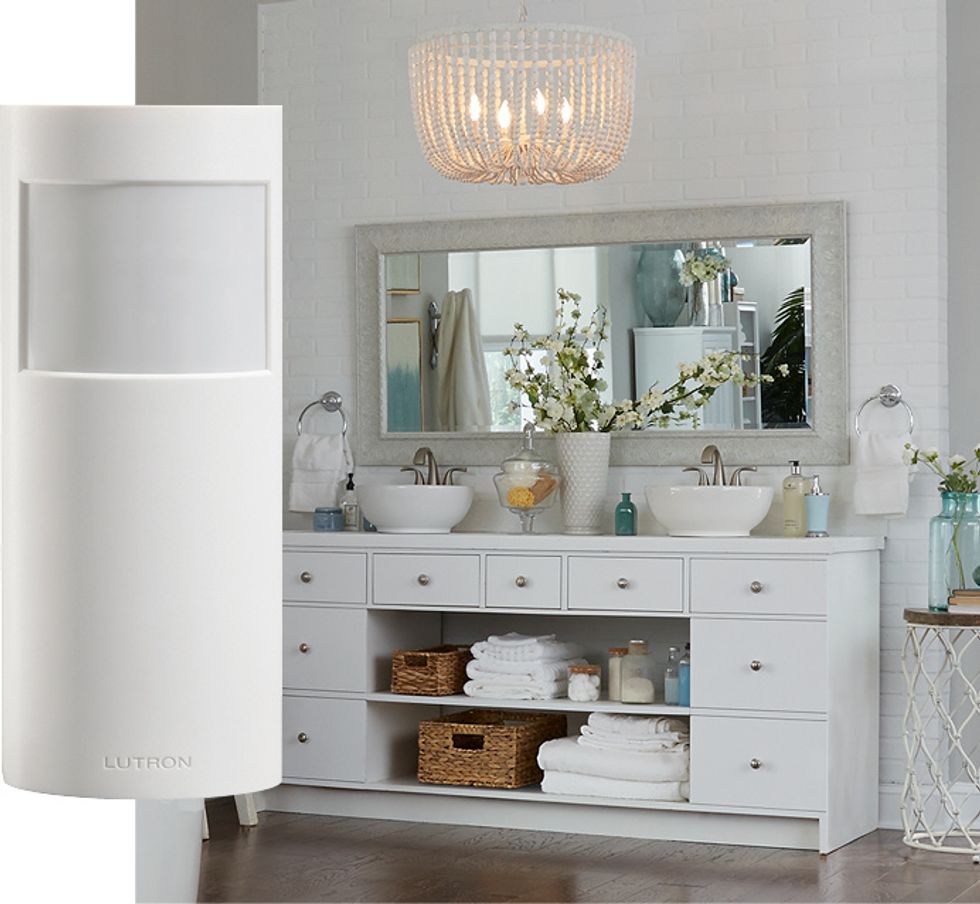
 Lutron Caseta smart motion sensor Lutron
Lutron's Caséta portfolio also includes the Original Smart Fan Speed Control and Smart Motion Sensor.
The $64.95 fan control provides four fan speeds plus off, while the $49.95 motion sensor can automatically trigger compatible Caséta lights and devices based on occupancy or vacancy.
These products demonstrate an important distinction between voice control and automation.
Voice control is useful when you consciously want something to happen. Sensors, schedules, and scenes are better when you want the smart home to respond automatically.
A well-designed Caséta system can therefore combine physical switches, Pico remotes, motion sensors, schedules, the Lutron app and now Sonos Voice Control rather than forcing homeowners to choose one method of control.
Do You Need a Lutron Smart Hub?
Connect your Caseta Wi-Fi Smart Bridge to your home Wi-Fi Network GearBrain
For smart home integrations, the Lutron Caséta Smart Hub remains a key part of the system.
The $79.95 hub connects compatible Caséta devices with the Lutron app and supported smart home platforms. Instead of putting every switch and dimmer directly onto a home's Wi-Fi network, Caséta devices communicate using Lutron's Clear Connect RF technology.
If you're starting from scratch, Lutron sells several kits that include the Smart Hub.
The Caséta Original Smart Switch Kit costs $94.95 and includes a wired switch, Claro wallplate, and Smart Hub. The Caséta Original Smart Dimmer Switch Starter Kit costs $99.95 and includes a smart dimmer, remote, wallplate and hub.
Lutron also offers a $119.95 Diva Smart Dimmer Switch Kit and a $99.95 Lamp Dimming Smart Plug Starter Kit.
These kits can be an easier entry point for Sonos owners who don't currently have Caséta but want to add smart lighting control.
Sonos Becomes More Useful as a Smart Home Controller
 Sonos Becomes More Useful as a Smart Home Controller Sonos
What's particularly interesting about this integration is that Sonos Voice Control is evolving beyond audio.
Sonos originally designed its voice platform around controlling music and the Sonos system. Users can ask it to play content, change volume, group rooms, and control other aspects of their speakers. Compatible Arc and Beam soundbars can also accept voice commands for certain TV functions.
Now smart home integrations are expanding that role.
Sonos has also been extending Voice Control to third-party smart home products, demonstrating that its speakers can increasingly serve as control interfaces rather than simply audio endpoints.
For Lutron, the advantage is equally clear. Caséta already gives homeowners multiple ways to control their lighting — physical switches, Pico remotes, the Lutron app, schedules, sensors and integrations with major smart home ecosystems. Sonos Voice Control adds another option without requiring an existing Caséta owner to replace any switches.
Who Benefits Most from the Lutron-Sonos Integration?
 Lutron Caséta Adds Sonos Voice Control: How to Control Lights, Shades and More with “Hey Sonos” www.gearbrain.com
This update is most compelling for households that already own both Sonos and Lutron Caséta products.
If you have an Era 100 in the kitchen, an Era 300 in another room, a Move 2 on the patio, and an Arc Ultra or Beam (Gen 2) connected to your television, those speakers can become convenient voice access points to your Caséta system.
It's also worth considering for Sonos owners who are thinking about installing smart lighting. Instead of introducing an entirely separate collection of Wi-Fi bulbs, Caséta provides in-wall switches, dimmers, plugs, and shades connected through Lutron's Smart Hub and Clear Connect network.
The result is a smart home in which the controls become less noticeable.
You can still use a physical switch when that's easiest. You can use the Lutron app when you're away from home. Automations and sensors can handle repetitive tasks. And when you're already sitting near a Sonos speaker, you can simply say “Hey Sonos.”
That's ultimately what a useful smart home integration should accomplish: not add another app or another piece of hardware to manage, but make the devices already in the home work better together.
Check out The GearBrain, our smart home compatibility find engine. It can help you find, buy, and connect any smart device. It can even help you find other smart devices or systems that are compatible with your existing smart devices, such as Amazon Alexa-enabled devices.
From Your Site Articles
Related Articles Around the Web

 Use Sonos App to connect your voice assistant to Sonos Arc GearBrain
  Side View of Lutron Caseta Smart Switch GearBrain

 Lutron Caséta Smart Shades GearBrain

 Sonos Becomes More Useful as a Smart Home Controller Sonos
  Lutron Caséta Adds Sonos Voice Control: How to Control Lights, Shades and More with “Hey Sonos”
