The Conversation (0)
pexels
4 Creative Ways to Showcase Collections at Home
Creative ways to showcase your collection using smart lighting, NFC tech, and voice automation to create an engaging and interactive display at home.
You’ve put time, money, and probably more than a little obsession into your collection. Of course, it deserves to be displayed proudly! But how?
The usual advice tends to focus on two choices: go loud and bold, risking looking tacky, or keep it subtle by blending in so much that it barely registers. And sure, both options can work, depending on the collection, and more importantly, your goal. But there’s also a smarter middle ground.
A really good display doesn’t scream for attention or hide from it. When designed well, it pulls people in at the right moment and then rewards their curiosity. And below are four creative ways to help you do just that.
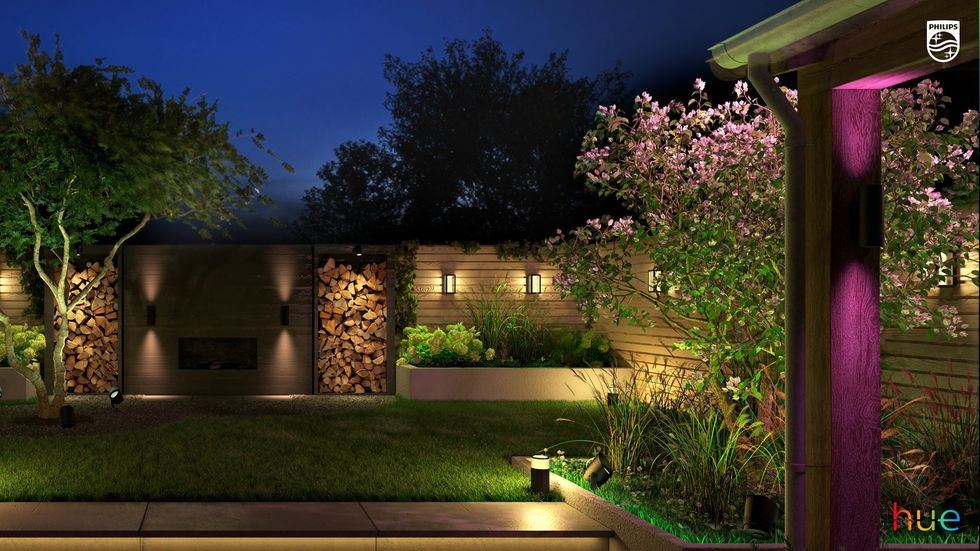 Hue sells a wide range of outdoor smart lighting Singify
Overhead lighting is a sure-fire way to flatten your collection because it treats everything equally. This may be fair, but it looks terrible. Because the pieces you care about most end up looking like everything else in the room.
It's much better to add a couple of directional spotlights. Place them slightly off-center, so they catch edges and texture rather than just “illuminate” everything.
You can also use Philips Hue or LIFX to create a “Collection Mode” that subtly dims the room while spotlighting specific shelves or zones.
Coins and medals respond especially well to this. A slight tilt of light across a surface can reveal otherwise hard-to-see engraving, or bring out contrast that flat lighting completely misses.
And if you want to take it one step further, tie it into motion sensors or time-based triggers. That way, when you walk in, the scene activates.
Do you know why many collections fail? They lack context. People see the object, sure, but they don’t understand why it matters.
The simplest solution for this problem is to add a small placard or card with an NFC tag (which, by the way, can have so many uses!). You can place it next to each item (or group), tap it with a phone, and it opens a page with the story, provenance, or even a short video.
This works particularly well for niche items where context isn’t obvious, like memorabilia or commemorative coins. A visitor might not immediately recognize the significance of a Challenge Coin, but one tap can open a page explaining its origin, symbolism, and the specific story behind your piece.
For this, you can use tools like Notion, a private webpage, or even a simple Google Drive folder. But keep it lightweight because no one wants to scroll through a thesis!
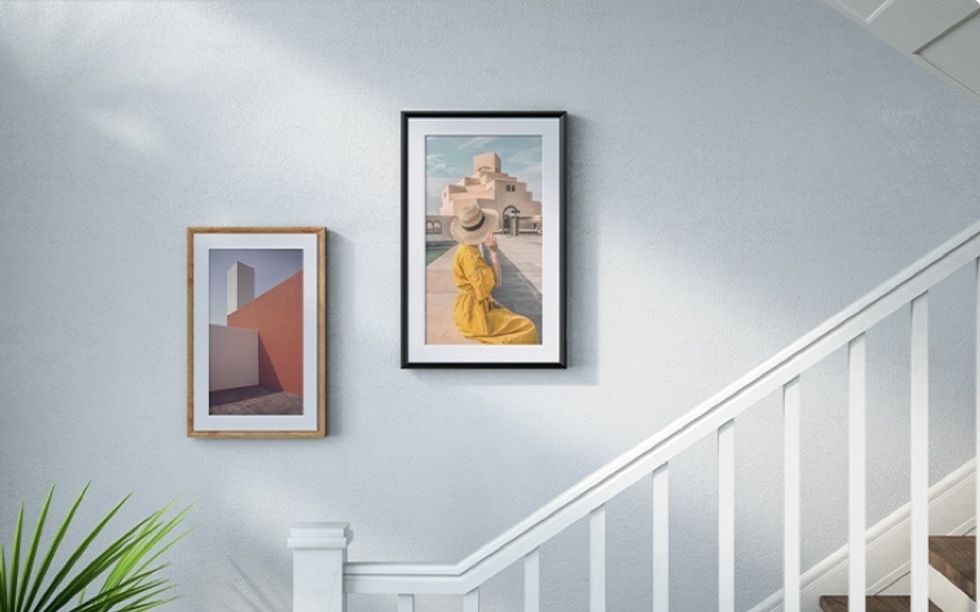 Loop Macro Visuals on a Connected Frame Meural
If you want to make your display an actual experience, use a connected digital frame (like Netgear Meural or even a well-mounted tablet) to run a loop of macro shots or alternate angles of your collection.
Why macro? Because people rarely get to see fine details up close, especially with items behind glass. High-resolution close-ups fix that.
But build a curated loop, not a random slideshow. For example:
Keep in mind, this works even better when paired with the lighting scenes you set up earlier.
If this one sounds like overkill, we get it, but try it and then decide. Because a simple voice routine can turn your collection into a mini on-demand guided tour.
Using Alexa or Google Assistant, you can set up routines like:
The response can trigger a short narration in your voice or a generated one. You can also pair this with lighting changes or content on your digital frame. Just keep it concise. 20–40 seconds per item or category is plenty.
Another option is to layer this on top of your NFC setup. You (or your guests) tap for details and ask for a quick overview. For guests who are genuinely curious, this will feel interactive and fun. For everyone else, it stays out of the way.
Power and cable management can really make or break your setup. So plan outlet access early, or you’ll end up with visible wires that undo everything.
And test your lighting at night, not during the day. Ambient light significantly changes perception, often dramatically.
Finally, keep maintenance in mind. If updating NFC links or frame content feels like work, you won’t do it. So build a system you’ll actually maintain.
GearBrain Compatibility Find Engine
A pioneering recommendation platform where you can research,
discover, buy, and learn how to connect and optimize smart devices.
Join our community! Ask and answer questions about smart devices and save yours in My Gear.