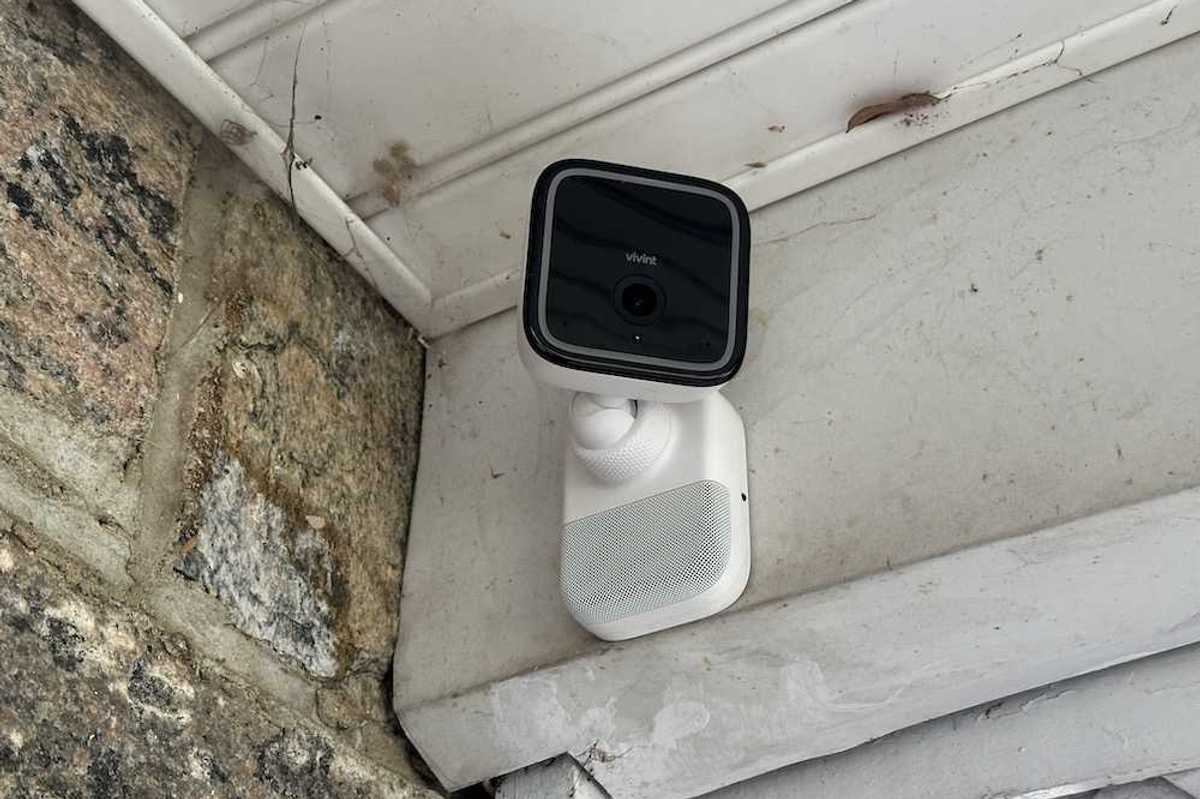
Moving beyond traditional motion detection, Vivint introduces a behavior-based intelligence system powered by RADAR and AI, designed to identify intent—not just movement.
After testing this camera for several weeks—both as a standalone unit and as part of Vivint’s Spotlight system—it’s clear this isn’t just an incremental upgrade. It’s a shift toward proactive, intelligent home protection.
If you're considering upgrading your outdoor security or investing in a professionally installed system, here’s everything you need to know.
Product Overview & Key Features
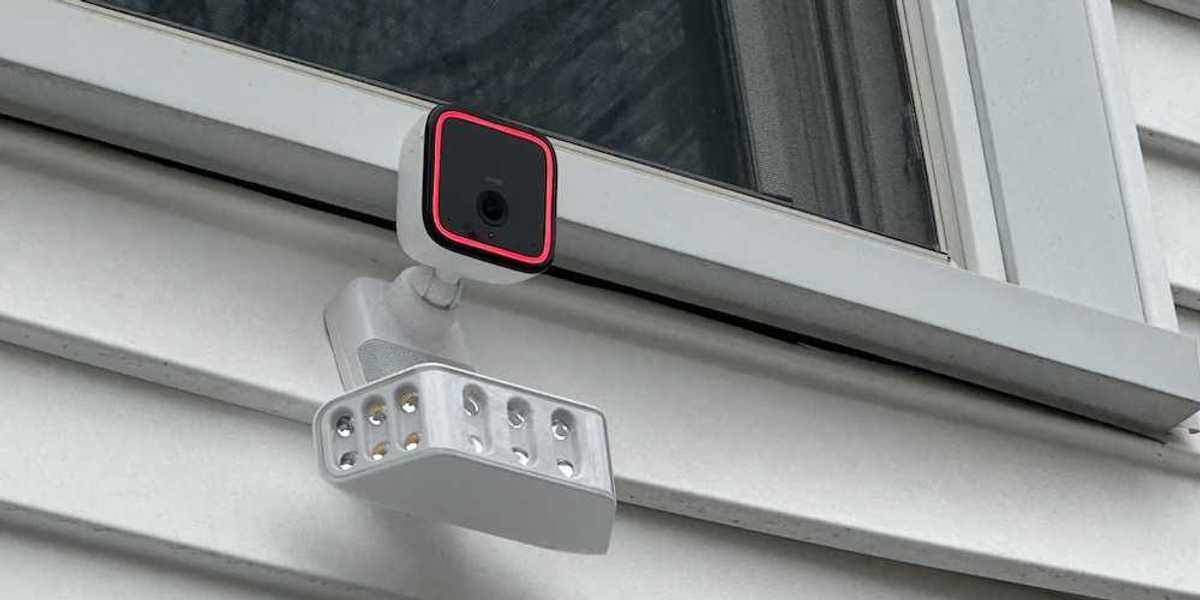
 Product Overview & Key FeaturesGearBrain
The Gen 3 camera builds on Vivint’s strong foundation in smart home security while introducing several meaningful upgrades:
- 4K image sensor with enhanced clarity
- 5.3x zoom with minimal distortion
- RADAR + AI-powered behavior detection
- Smart Deter proactive response system
- Vehicle protection (industry-first feature)
- Hybrid wired + Wi-Fi connectivity
- Continuous recording with dual storage (cloud + local)
- Hardwired power (no batteries required)
- Speaker in Mount
Priced at $399.99, the camera launched in February 2026 and is available through Vivint’s ecosystem.
Design & Installation

One of the most important things to understand upfront: This is not a DIY camera.
The only way to install the Gen 3 is through a professional installer from Vivint. For some users, this may feel restrictive, but it ensures optimal placement, wiring, and performance.
Visually, the Gen 3 looks nearly identical to the Gen 2, which isn’t a bad thing. The previous model already had a strong design, and this version maintains that same durable, weather-resistant housing built for long-term outdoor use.
Video Quality & Performance
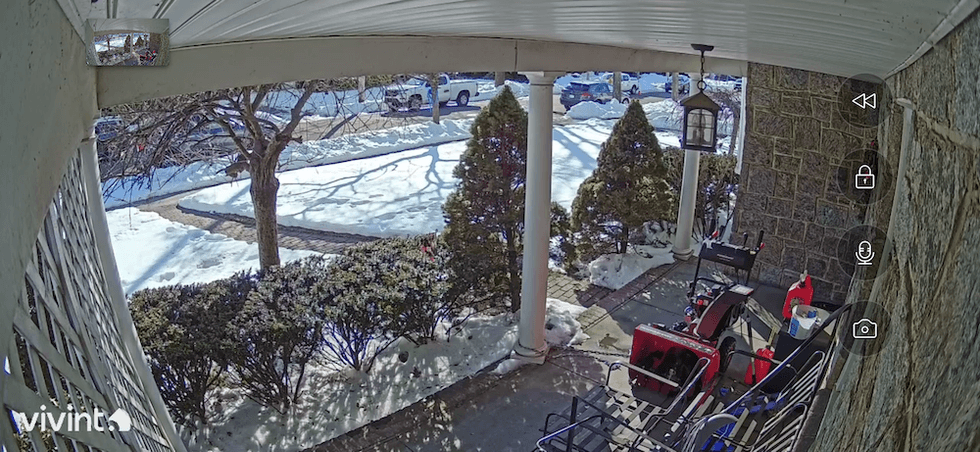
 Video Quality & PerformanceGearBrain
One of the standout improvements is image clarity.
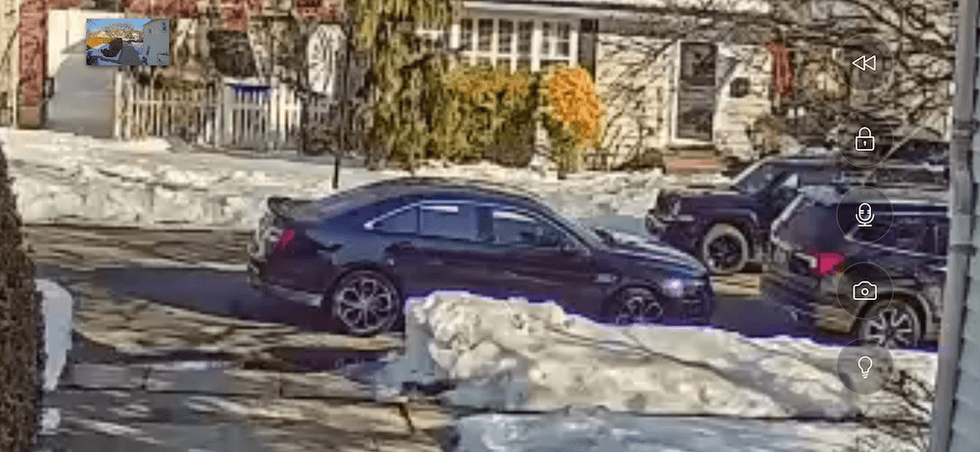
Having tested the Gen 2 previously, I immediately noticed sharper visuals on the Gen 3. The upgraded HD resolution allows you to zoom in up to 5.3x on live footage without the distortion commonly found in other cameras.
This matters in real-world scenarios:
- Identifying faces
- Reading license plates
- Distinguishing between people and animals
The camera excels in all of these areas.
Night Vision
Night performance is equally impressive. The Gen 3 delivers clear, detailed nighttime footage, allowing you to identify objects, vehicles, and people with confidence. The AI system enhances detection even in low-light conditions, making alerts more accurate.
RADAR + AI: A Game-Changer in Detection
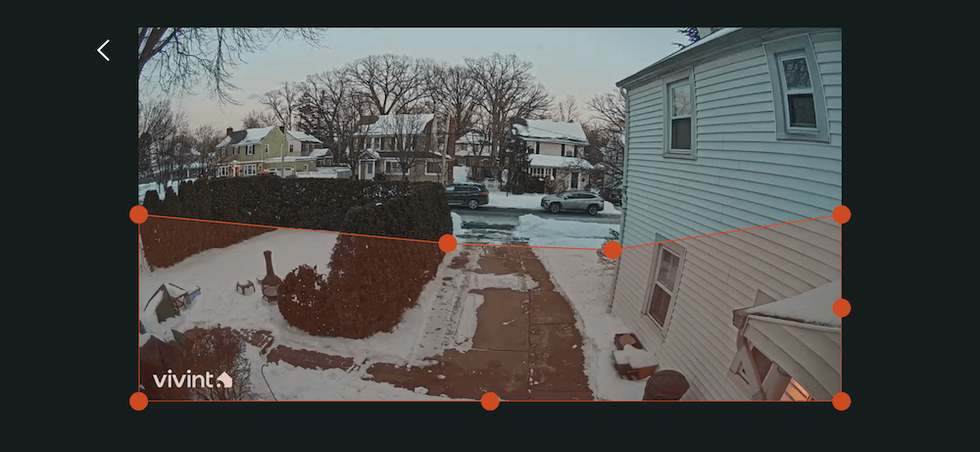
Use Vivint app to set detection zones and motion sensitivity for Outdoor Camera Pro Gen 3GearBrain
The biggest innovation here is the RADAR + AI system.
Traditional cameras rely on motion detection—meaning they alert you whenever something moves. This often leads to false alerts from:
- Shadows
- Rain
- Snow
- Passing animals
Vivint solves this with behavior-based detection.
Instead of just detecting motion, the Gen 3 evaluates:
- Lingering behavior
- Pacing near vehicles
- Approaching entry points
This allows the system to determine intent, not just presence.
As a result:
- Fewer false alerts
- More meaningful notifications
- Faster response to real threats
Even in challenging conditions like rain or snow, RADAR improves accuracy by filtering out environmental noise.
Smart Deter Technology
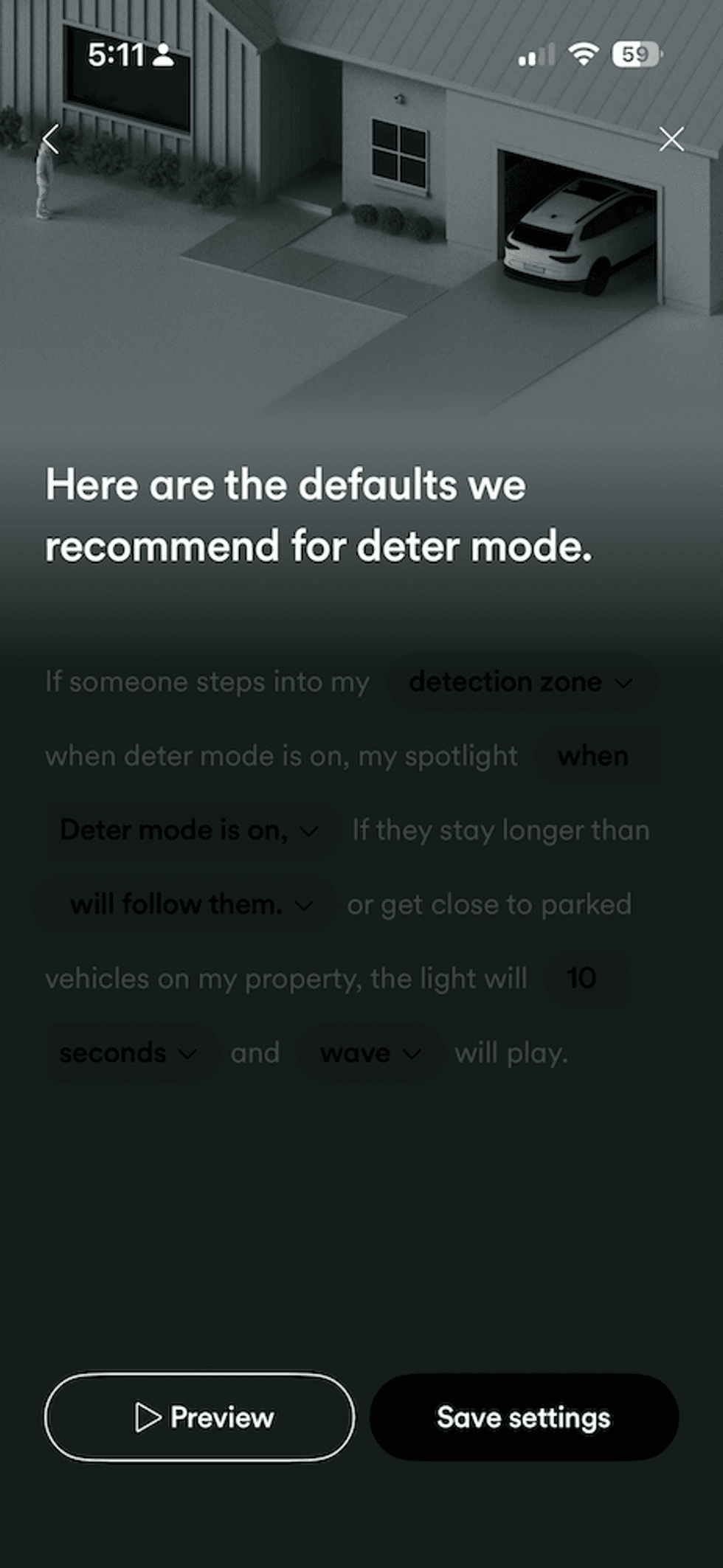
 Default settings for Deter Mode in Vivint appGearBrain
Vivint’s Smart Deter feature is where this camera really stands out.
When suspicious behavior is detected, the system automatically:
- Activates a light response
- Plays a deterrent sound
You can customize this with five tone options:
- Whistle (my preferred choice)
- Alert
- Scale
- Hello
- Friendly tone
During testing, I set Smart Deter to activate when:
- Someone lingered near the front door
- Movement occurred near parked cars
It worked extremely well and adds a proactive layer of security—something most cameras lack.
Industry-First Vehicle Protection
Example of zoom-in feature for Outdoor Camera Pro Gen 3 in the Vivint app.GearBrain
A unique feature in the Gen 3 is vehicle protection, powered by the same RADAR + AI system.
This feature monitors activity around:
- Driveways
- Parked vehicles
If suspicious behavior is detected near your car, Smart Deter can trigger automatically.
Given the rise in car-related theft and break-ins, this is a highly practical and valuable addition.
Connectivity & Reliability
Vivint uses a hybrid wired/Wi-Fi system, which differs from most competitors'.
Here’s how it works:
- The camera is hardwired to a PoE adapter inside your home
- It connects to the internet via a Wi-Fi bridge
This design has several advantages:
- Prevents intruders from unplugging the camera outside
- Provides consistent power (no batteries)
- Improves reliability over pure Wi-Fi cameras
In my setup, I reused existing wiring from the Gen 2, making installation smoother.
Vivint App & Smart Home Integration
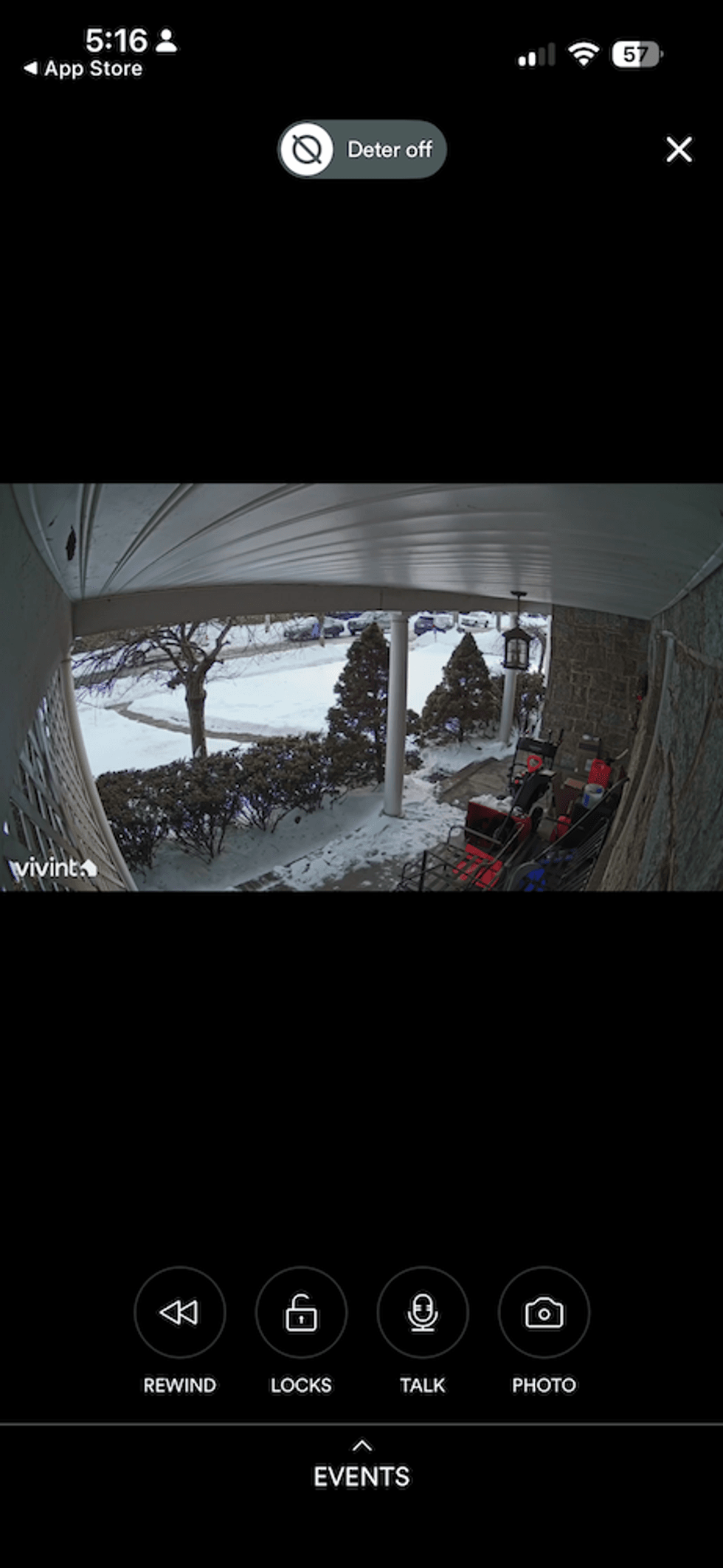
Homescreen for Outdoor Camera Pro Gen 3 in Vivint appGearBrain
The Vivint app is one of the best parts of the experience.
It allows you to:
- Customize detection zones
- Adjust motion sensitivity
- Set alert preferences
- View live and recorded footage
- Enable Smart Deter rules
- Control smart locks from app
- Two-way communication
Smart Actions
A standout feature is Smart Actions, which function similarly to IFTTT applet automations.
Examples I used:
- Record video clips when the alarm triggers
- Turn on floodlights when disarming the system
- Automatically arm the system at night
You can also create your own custom automations by selecting triggers and actions—making it easy to tailor the system to your home.
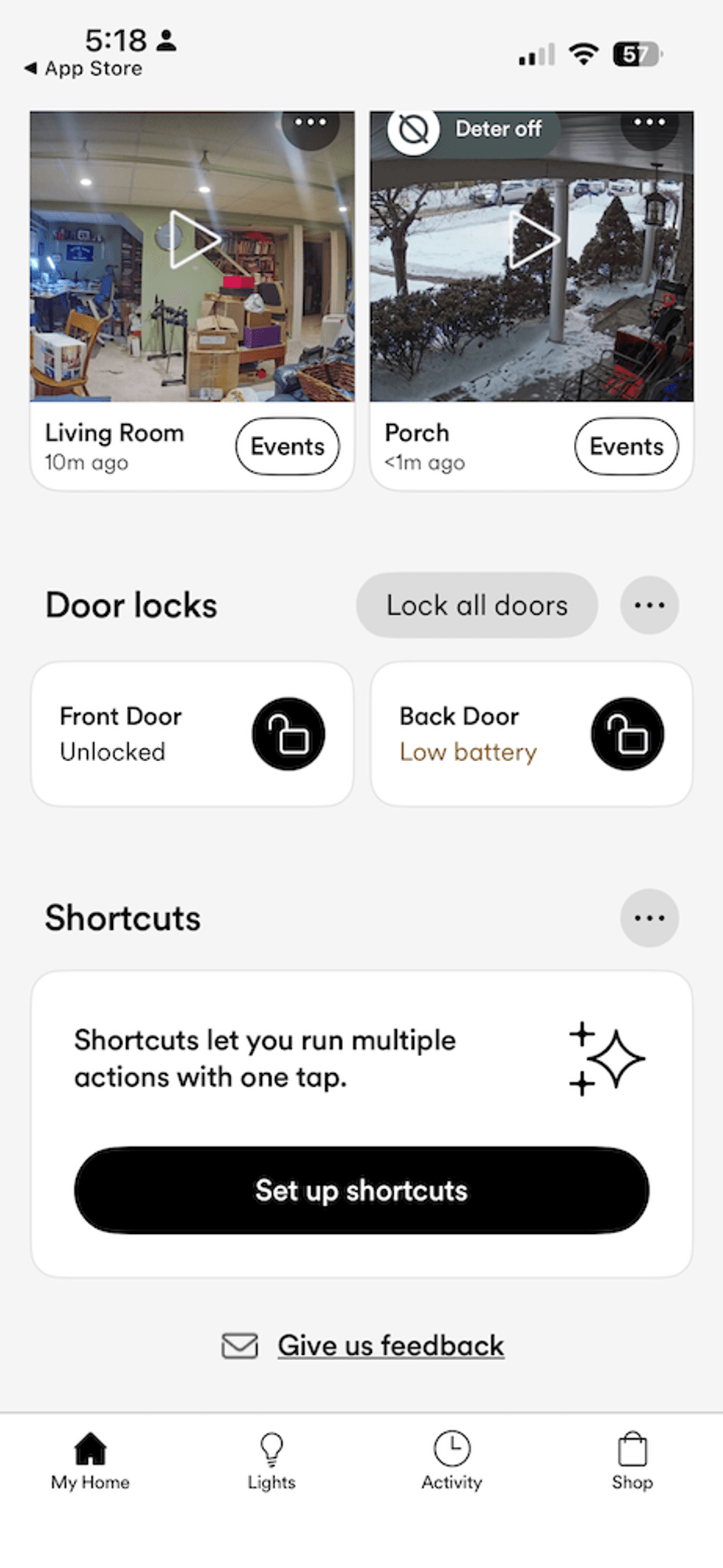
Integration with Vivint Smart Home
Control all compatible smart devices in Vivint appGearBrain
The Gen 3 camera integrates seamlessly into the broader Vivint ecosystem, which I consider one of the best professionally installed smart home systems available.
You can connect it with:
For example, for our test, I used integrations with:
This allows you to create a fully connected and automated home security experience.
Setup & Real-World Testing Insights
During testing, one key takeaway was the importance of adjusting detection sensitivity.
Initially, I experienced a few false alerts caused by shadows being interpreted as people and cars stopping at the end of our driveway. After fine-tuning the sensitivity settings and detection zones, these issues disappeared.
This highlights an important tip:
👉 Spend time optimizing your detection zones and sensitivity settings.
Once dialed in, the system performs exceptionally well.
Pros and Cons
Pros
- Advanced RADAR + AI behavior detection
- Excellent video quality with 5.3x zoom
- Smart Deter proactively discourages threats
- Industry-first vehicle protection feature
- Reliable hybrid wired/Wi-Fi setup
- Seamless smart home integration
- Clear sound from camera's speaker on the mount.
Cons
- Requires professional installation
- Higher cost compared to DIY cameras
- Limited compatibility outside Vivint ecosystem
- Initial setup requires tuning to avoid false alerts
Who Should Buy the Vivint Outdoor Camera Pro (Gen 3)?
This camera is ideal for:
- Homeowners seeking premium, proactive security
- Medium to large homes needing comprehensive coverage
- Users who prefer professional installation and monitoring
- Anyone concerned about package theft or vehicle security
It’s less suited for:
- Renters
- DIY-focused users
- Budget-conscious buyers
Final Verdict
The Vivint Outdoor Camera Pro (Gen 3) is one of the most advanced outdoor security cameras available today.
Its combination of:
…makes it a standout in the premium security category.
While it comes at a higher cost and requires professional installation, the payoff is a smarter, more reliable, and proactive security system that goes beyond passive monitoring.
If you’re serious about protecting your home—and want a system that can actually prevent incidents before they happen—this camera is well worth considering.
And remember to check out The GearBrain, our smart home compatibility find engine, to find other security cameras, including ones that are compatible with Google Assistant and Amazon Alexa-enabled devices.
From Your Site Articles
Related Articles Around the Web
 Product Overview & Key FeaturesGearBrain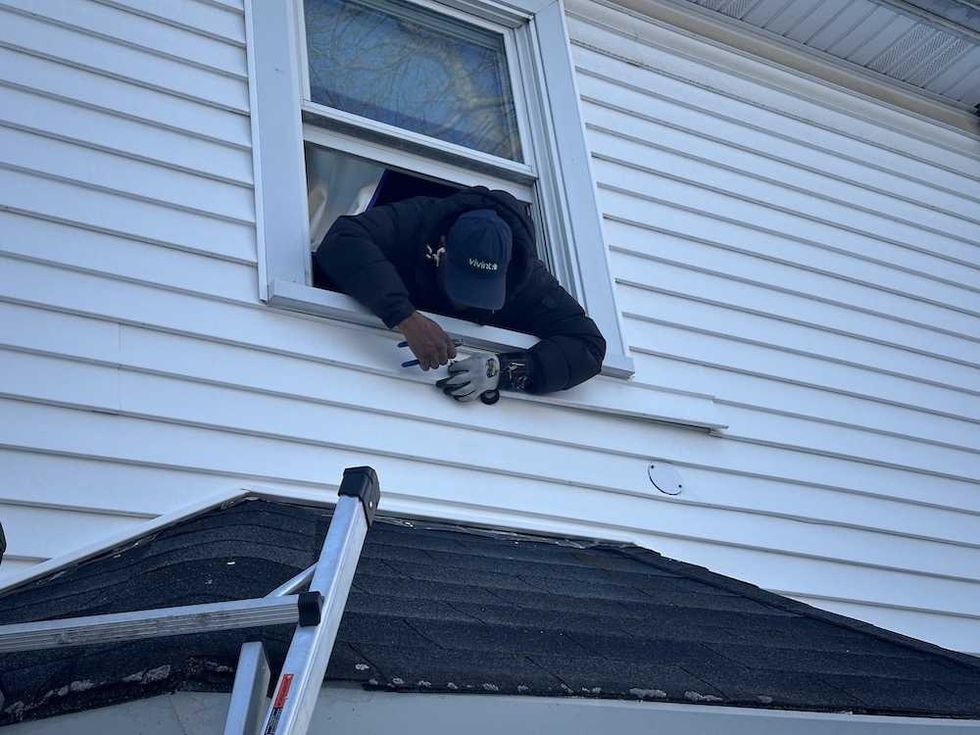
 Video Quality & PerformanceGearBrain
 Use Vivint app to set detection zones and motion sensitivity for Outdoor Camera Pro Gen 3GearBrain
 Default settings for Deter Mode in Vivint appGearBrain
 Example of zoom-in feature for Outdoor Camera Pro Gen 3 in the Vivint app.GearBrain
 Homescreen for Outdoor Camera Pro Gen 3 in Vivint appGearBrain
 Control all compatible smart devices in Vivint appGearBrain