As hybrid work continues to blur the line between office and personal computing, comfort and productivity accessories have become more important than ever. A few weeks ago, Logitech invited me to New York City for a first look at its newest productivity lineup — the Signature Comfort Plus series. After spending time with the new keyboard and mouse, it became clear that Logitech is focused on delivering a more comfortable, quieter, and smarter desktop experience for both consumers and business users.
The new Logitech Signature Comfort Plus Combo MK880 combines a comfort-focused wireless keyboard and mouse designed for people who spend long hours at their desks, moving between work, meetings, multitasking, and personal activities. Logitech also introduced the standalone Signature Comfort Plus M850 L mouse, which features the company’s first-ever palm cushion support system.
With quiet typing, ergonomic support, AI shortcut integration, multi-device switching, and enterprise-ready management tools, Logitech is positioning the Signature Comfort Plus lineup as both a consumer productivity upgrade and a scalable business solution.
- YouTube Video Details About This Video Logitech unveiled its Signature Comfort Plus lineup in New York, addressing demand for ...
What Is the Logitech Signature Comfort Plus Combo MK880?
 What Is the Logitech Signature Comfort Plus Combo MK880?GearBrain
The combo includes:
The combo launches globally in June 2026 for $99.99 for consumers and $109.99 for business customers.
The standalone M850 L mouse will retail for $49.99, while the business edition costs $59.99.
Key Features of the Logitech Signature Comfort Plus Combo
Comfort-First Design
The biggest focus of the Signature Comfort Plus lineup is ergonomics and desk comfort.
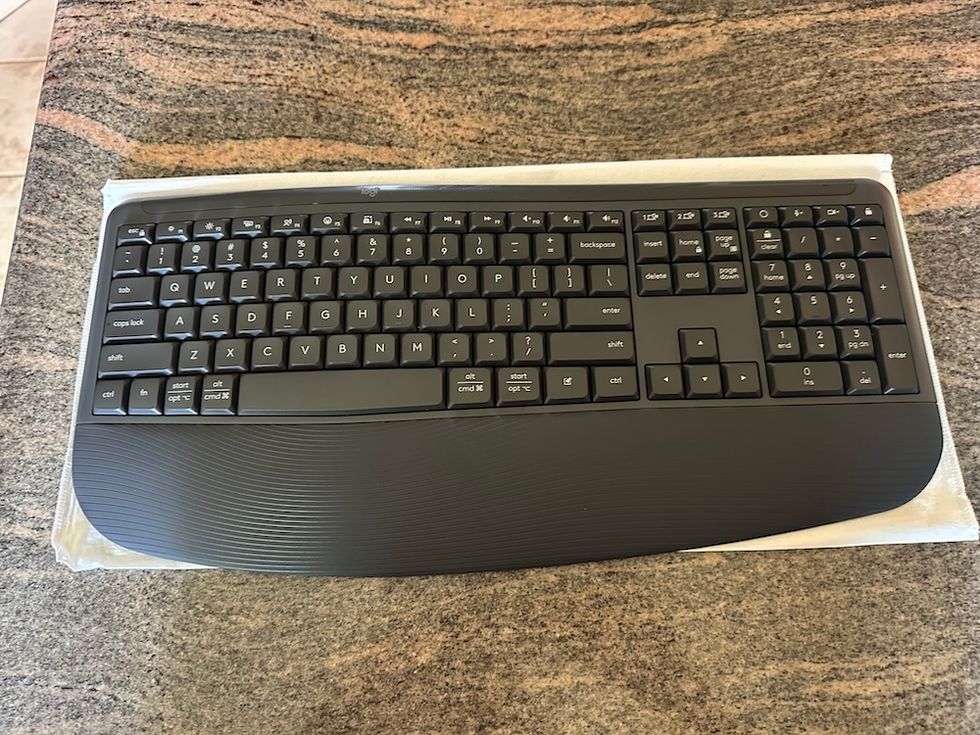
The keyboard includes:
Logitech Signature Comfort Plus MK880 keyboardGearBrain
- Deep cushioned keys
- Dual-foam palm rest
- Curved typing angles
- Adjustable typing positions (0°, 4°, and 8°)
The included M850 L mouse adds:
Logitech Signature Comfort Plus MK850 L MouseGearBrain
- Logitech’s first palm cushion support design
- Sculpted right-hand shape
- Rubber side grips
- Silent clicking and scrolling
Together, these features are designed to reduce strain during long work sessions and improve overall hand positioning throughout the day.
According to Logitech, the products were tested in real-world desk environments to help improve comfort during extended workdays.
Quiet Productivity for Shared Workspaces
One feature many professionals will appreciate is the quieter desktop experience.
The Signature Comfort Plus lineup reduces distractions through:
- Silent mouse clicks
- Quiet scrolling
- Lower-noise keyboard typing
This makes the combo especially useful for:
For remote workers frequently on meetings, quieter peripherals can make a noticeable difference during conference calls and collaborative work sessions.
Multi-Device Support and Easy-Switch Functionality
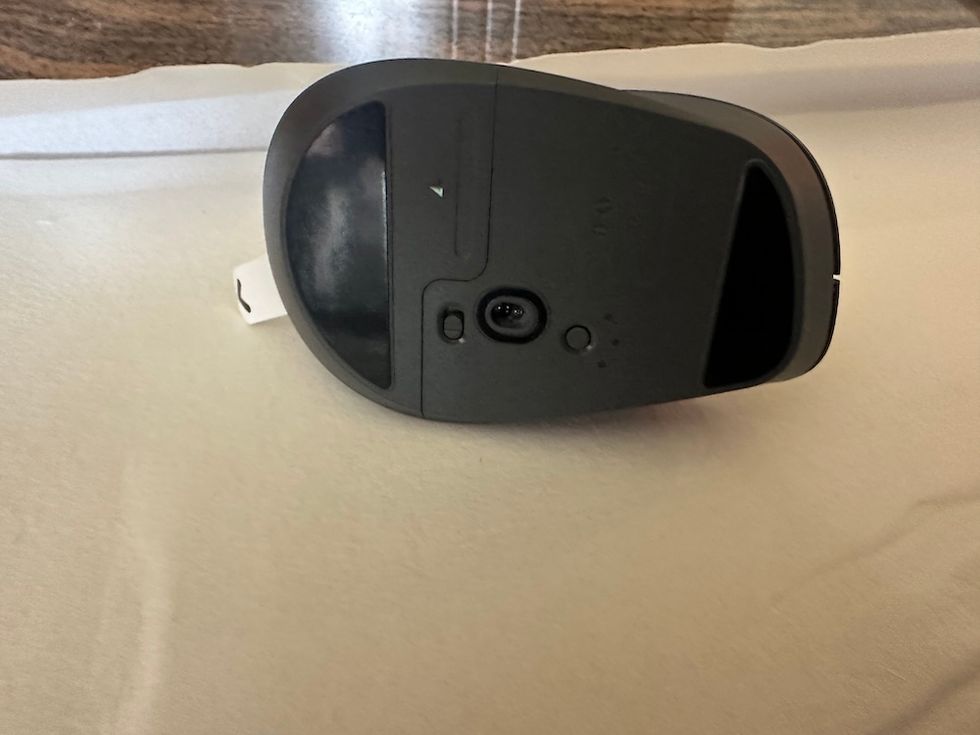
Underneath view of Logitech Signature Comfort Plus MK850 L MouseGearBrain
Modern professionals often work across several devices throughout the day. Logitech built the Signature Comfort Plus lineup to support that workflow.
The keyboard and mouse support:
- Windows
- macOS
- ChromeOS
- Linux
- Android
- iPadOS
Users can connect up to three devices simultaneously and switch between them using Logitech’s Easy-Switch functionality.
This means users can seamlessly transition between:
- A work laptop
- Personal computer
- Tablet
- Smartphone
without having to reconnect peripherals every time they switch devices.
For professionals working across ecosystems, this is one of the most practical features in the lineup.
AI Shortcut Integration and Customization Tools
 Logitech Signature Comfort Plus MK880 keyboardGearBrain
One of the more modern additions to the keyboard is the customizable AI Launch Key.
Users can configure shortcuts to quickly access AI tools such as:
- OpenAI ChatGPT
- Google Gemini
- Microsoft Copilot
through Logitech’s Logi Options+ software.
The combo also supports:
- Smart Actions automation
- Custom meeting controls
- Shortcut personalization
- Zoom Workplace integration
- Microsoft Teams controls
For power users, this could significantly streamline repetitive workflows and productivity routines.
The M850 L mouse additionally supports customizable side buttons and direct access to Logitech’s Actions Ring feature.
SmartWheel Scrolling and Everyday Productivity
 Logitech Signature Comfort Plus MK850 L Mouse with paddingGearBrain
The M850 L mouse includes Logitech’s SmartWheel scrolling technology.
This allows users to switch between:
- Precision scrolling for detailed work
- Fast scrolling for long documents and webpages
Writers, editors, spreadsheet users, coders, and multitaskers will likely appreciate the ability to navigate lengthy documents more efficiently.
Battery Life and Connectivity
Battery life remains a major strength of Logitech productivity devices.
The Signature Comfort Plus lineup delivers:
Keyboard Battery Life
Mouse Battery Life
The mouse uses a single AA battery.
Wireless connectivity includes Bluetooth Low Energy support, while business editions also include the Logi Bolt USB-C secure wireless receiver for improved enterprise security and reliability.
Why Businesses May Like the Signature Comfort Plus Lineup
Logitech clearly designed this series with enterprise deployment in mind.
Business-focused features include:
- Logi Bolt secure wireless connectivity
- Logitech Sync device management
- Enterprise deployment support
- Multi-OS compatibility
- Quiet operation for office environments
IT administrators can centrally manage device status and firmware with Logitech Sync, simplifying large-scale deployment across organizations.
This makes the Signature Comfort Plus lineup appealing for:
- Corporate offices
- Hybrid teams
- Customer service centers
- Remote workforces
- Shared desk environments
The quieter operation and ergonomic design could also help improve employee comfort and reduce workplace distractions.
Sustainability and Eco-Friendly Materials
Logitech continues emphasizing sustainability across its hardware portfolio.
The Signature Comfort Plus lineup includes:
- 49% to 77% post-consumer recycled plastic, depending on model and color
- FSC-certified paper packaging
- Multi-year battery life to reduce battery waste
These design decisions align with Logitech’s broader sustainability initiatives and may appeal to environmentally conscious consumers and organizations.
Who Should Buy the Logitech Signature Comfort Plus Combo?
The Signature Comfort Plus MK880 is ideal for:
Remote Workers
People who spend full workdays at home want better desk comfort and quieter peripherals.
Hybrid Professionals
Users moving between office and home setups while using multiple devices.
Productivity Power Users
Writers, editors, spreadsheet users, developers, and multitaskers who benefit from customizable shortcuts and AI integrations.
Businesses and IT Teams
Organizations looking for scalable wireless peripherals with centralized management and enterprise-ready connectivity.
AI Workflow Users
Professionals regularly using ChatGPT, Gemini, or Copilot who want faster desktop access to AI tools.
Final Thoughts
The Logitech Signature Comfort Plus Combo MK880 appears to be a thoughtful evolution of the modern productivity keyboard and mouse. Rather than chasing flashy gaming features or ultra-minimal aesthetics, Logitech focused on something many desk workers actually need: long-term comfort and workflow efficiency.
Features like the palm-cushion mouse design, quiet typing, multi-device switching, AI shortcut integration, and enterprise management support help the lineup stand out in a crowded productivity-accessory market.
For users who spend eight or more hours per day at a desk, the Signature Comfort Plus lineup may offer meaningful ergonomic and workflow improvements without a major learning curve.
The Logitech Signature Comfort Plus MK880 combo launches globally in June 2026 for $99.99, while the standalone M850 L mouse starts at $49.99.
Pros
- Excellent all-day comfort
- Very quiet typing and clicking
- Seamless multi-device support
- Useful AI and productivity shortcuts
Cons
- Right-handed mouse design only
- Not ideal for gaming or high-performance tasks
- Premium pricing compared to standard office combos.
- Some advanced features require Logitech software
From Your Site Articles
Related Articles Around the Web

 Logitech Signature Comfort Plus MK880 keyboardGearBrain
 Underneath view of Logitech Signature Comfort Plus MK850 L MouseGearBrain
 Logitech Signature Comfort Plus MK850 L Mouse with paddingGearBrain


