

The Conversation (0)
Controls (Hubs/Systems)

Is Home Assistant Worth the Price?
A practical look at costs, benefits, and whether smart assistants pay off.
In today’s fast-paced world, convenience is king. Smart home devices, often controlled by virtual assistants, promise to make daily life easier, more organized, and even more energy-efficient. But with a variety of options on the market, including Amazon Alexa, Google Home, and other brands, the question many homeowners ask is: is a home assistant worth the price? This guide dives deep into the costs, benefits, and factors to consider before investing in a smart home assistant.
Meanwhile, if you want to try your hand on games similar to Tongits go, be sure to check out GameZone!
Home assistants, also known as smart assistants or virtual assistants, are AI-powered devices that respond to voice commands to control smart home appliances, answer questions, and perform tasks. Popular brands like Amazon Alexa, Google Home, and Apple HomePod have become household staples, offering seamless integration with lights, thermostats, security cameras, and even entertainment systems.
These devices rely on internet connectivity and AI algorithms to understand voice commands, automate routines, and learn user preferences over time. This level of automation can save time, enhance comfort, and even increase home security, but it also comes with a cost that varies depending on brand, model, and ecosystem compatibility.
When deciding whether a home assistant is worth the investment, it’s crucial to compare the leading brands:
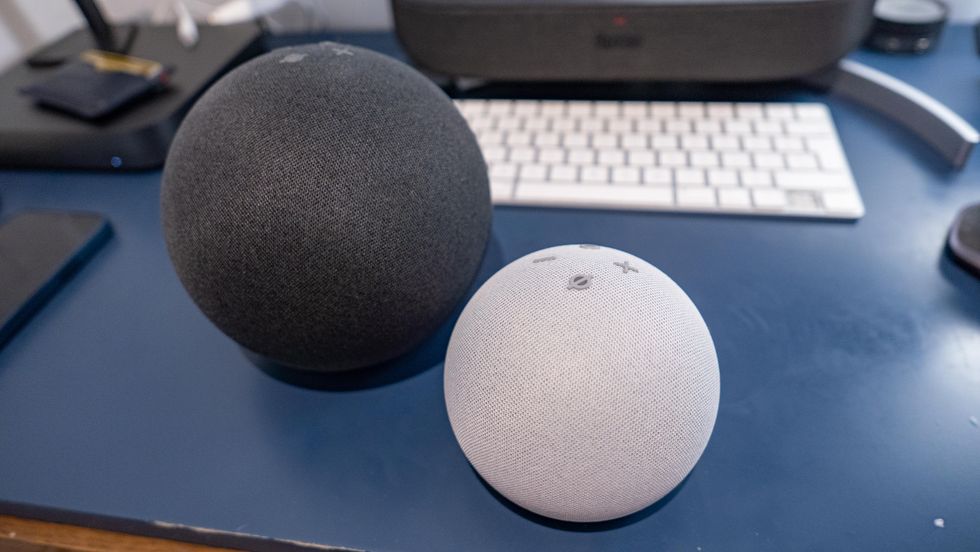 All versions of Echo can be reset in a matter of seconds GearBrain
Amazon Alexa is one of the most widely used smart assistants worldwide. Alexa-enabled devices include the Echo Dot, Echo Show, and Echo Studio. Alexa is known for its compatibility with thousands of third-party devices, from smart plugs to thermostats.
Pros:
Cons:
 The Nest Hub Max is Google’s new smart display - and it recognizes your face Google
Google Home, integrated with Google Assistant, offers a strong AI backbone powered by Google’s search engine capabilities. Devices like the Nest Mini, Nest Hub, and Nest Audio integrate seamlessly with Google services, making it ideal for users already invested in Google’s ecosystem.
Pros:
Cons:
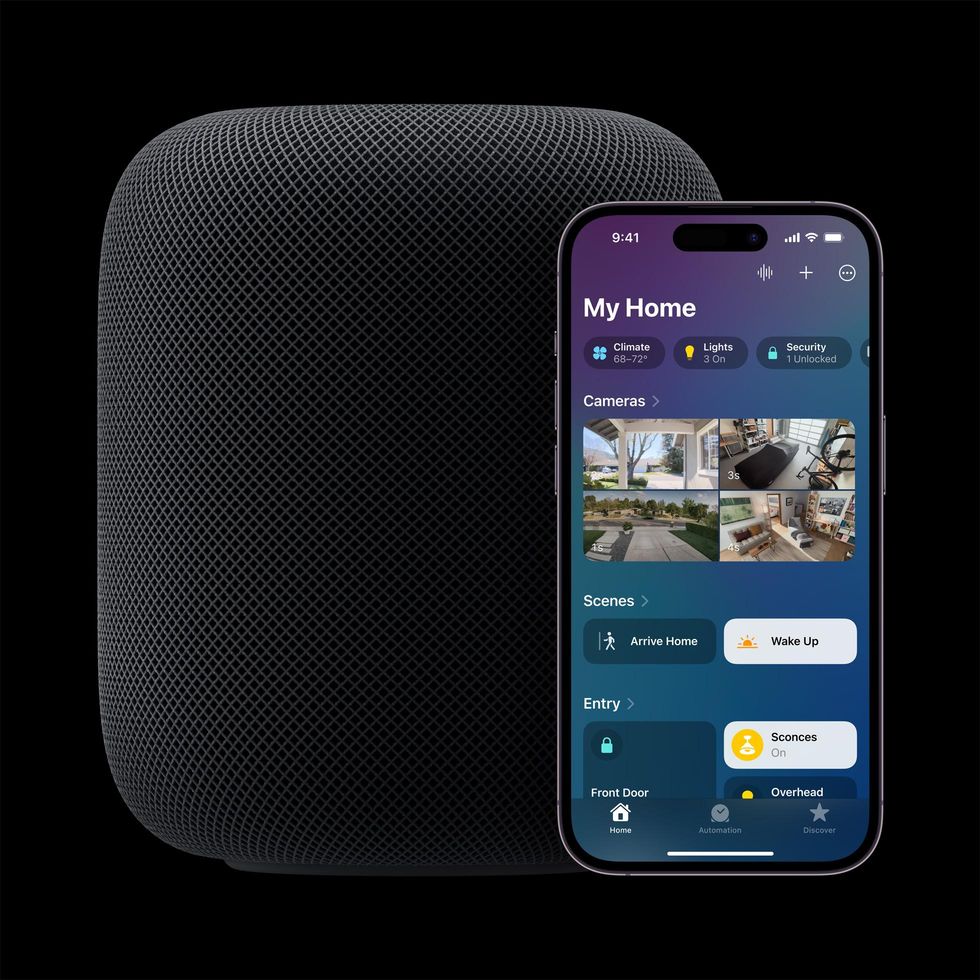 Apple HomePod 2nd Gen smart speaker works with Apple HomeKit app Apple
Apple HomePod leverages Siri as its virtual assistant, catering primarily to users in the Apple ecosystem. With a focus on privacy and seamless integration with iPhones, iPads, and Macs, HomePod offers premium audio quality and tight ecosystem connectivity.
Pros:
Cons:
 Alexa is now your fashion guru Amazon
Investing in a home assistant goes beyond novelty; it offers several practical advantages:
1. Convenience
Voice commands can simplify everyday tasks. From setting timers and reminders to checking the weather or controlling smart lights, a home assistant reduces the need to manually interact with multiple devices.
2. Energy Efficiency
Smart thermostats, lighting, and plugs controlled via home assistants can reduce energy consumption. For example, turning off lights or adjusting temperatures remotely can lower electricity bills, helping the assistant pay for itself over time.
3. Home Security
Home assistants often integrate with smart locks, security cameras, and alarm systems. They can alert homeowners to unusual activity, lock doors remotely, or even simulate presence while you’re away.
4. Entertainment and Productivity
Streaming music, audiobooks, and podcasts is easier with voice control. Additionally, home assistants can read news briefings, manage shopping lists, and help coordinate family schedules, enhancing overall productivity.
5. Accessibility
For those with limited mobility, home assistants provide hands-free control of household devices, making daily life more manageable and independent.
 The best smart home devices and systems to monitor the elderly who live at home. iStock
When evaluating whether a home assistant is worth the price, consider these factors:
1. Device Cost
Entry-level devices like the Echo Dot or Nest Mini start around $30-$50, while premium devices like the Echo Studio or HomePod can exceed $250. The price varies based on features like display screens, audio quality, and smart home compatibility.
2. Ecosystem
Your existing devices influence the total cost. If you already have smart bulbs, plugs, or cameras compatible with Alexa or Google Home, setup is easier and cheaper. Otherwise, the investment in additional devices can add up.
3. Subscription Services
Some home assistant features require subscriptions, such as music streaming services or cloud storage for security cameras. This ongoing cost should be factored into your decision.
4. Privacy Considerations
While not a direct financial cost, privacy concerns may influence perceived value. Devices that constantly listen for commands may raise concerns for some users, and choosing a brand that aligns with your privacy preferences is crucial.
5. Longevity and Updates
High-quality home assistants receive regular software updates, extending their lifespan. Cheaper models may lack updates or become obsolete faster, impacting long-term value.
The value of a home assistant depends largely on your lifestyle, home setup, and willingness to integrate technology into daily routines. Here’s a breakdown to help you decide:
In essence, the price is justified if the device meaningfully improves convenience, security, or productivity in your home. While a high-end device can be expensive, its long-term benefits often outweigh the initial cost.
Home assistants like Amazon Alexa, Google Home, and Apple HomePod offer convenience, productivity, security, and entertainment. While the upfront price may seem high, the practical benefits—especially in a smart home setup—often justify the investment. For those seeking hands-free control, energy savings, or seamless integration with digital life, a home assistant is a tool that can genuinely enhance daily living.
Ultimately, whether a home assistant is worth the price depends on your lifestyle, existing smart devices, and how much value you place on convenience and automation. Starting with an affordable model allows users to experience the benefits firsthand without committing to a major investment.
GearBrain Compatibility Find Engine
A pioneering recommendation platform where you can research,
discover, buy, and learn how to connect and optimize smart devices.
Join our community! Ask and answer questions about smart devices and save yours in My Gear.